Chat system design
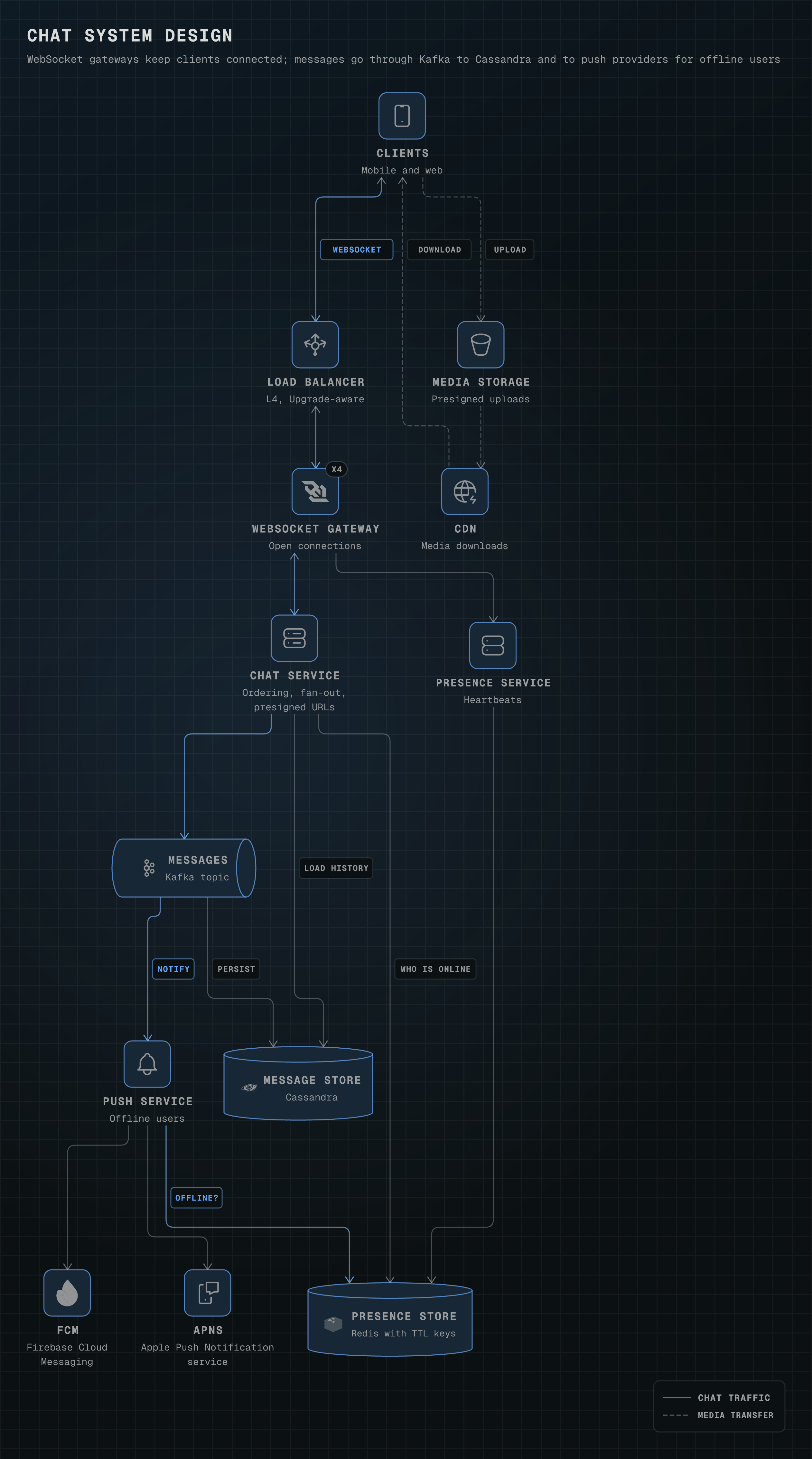
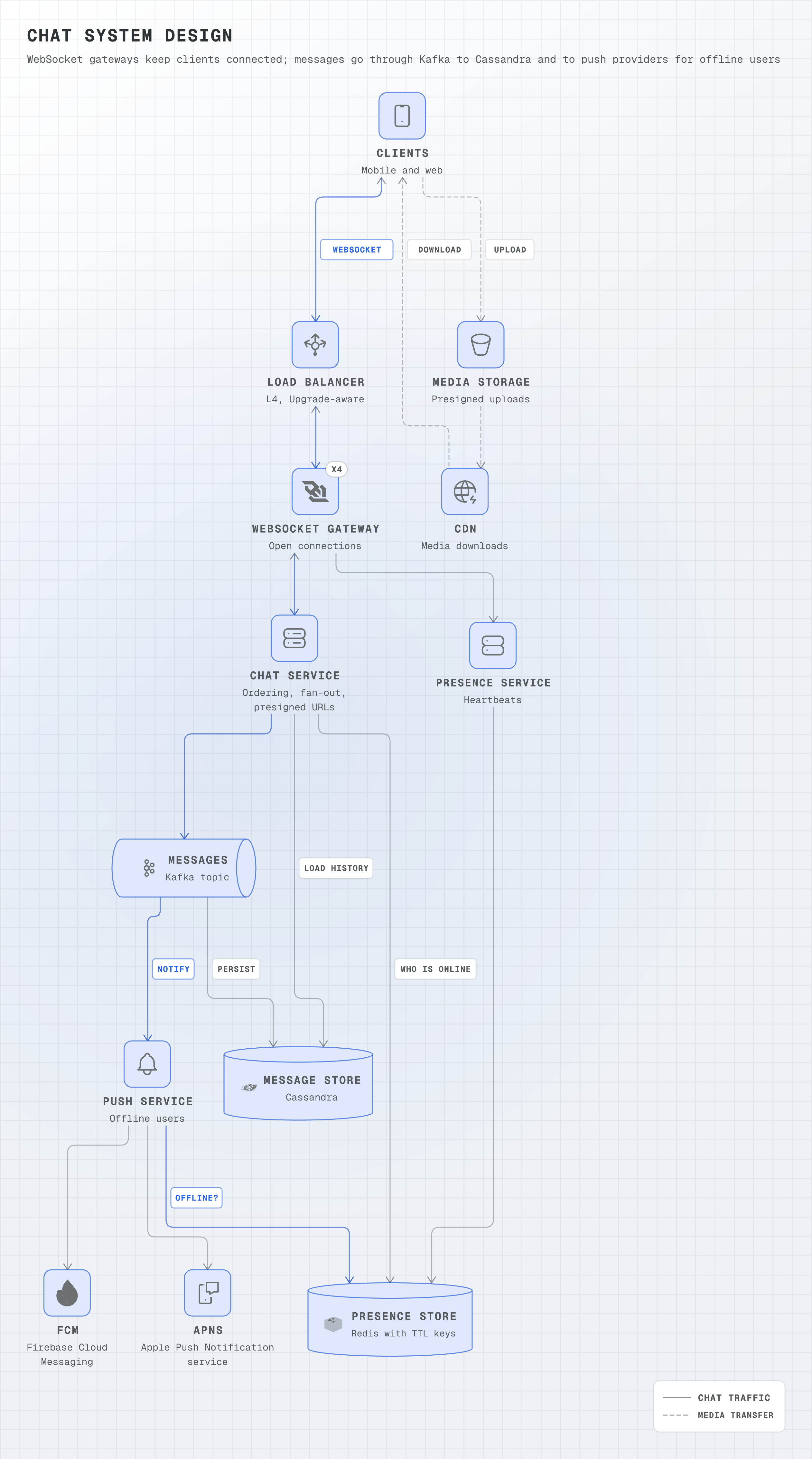
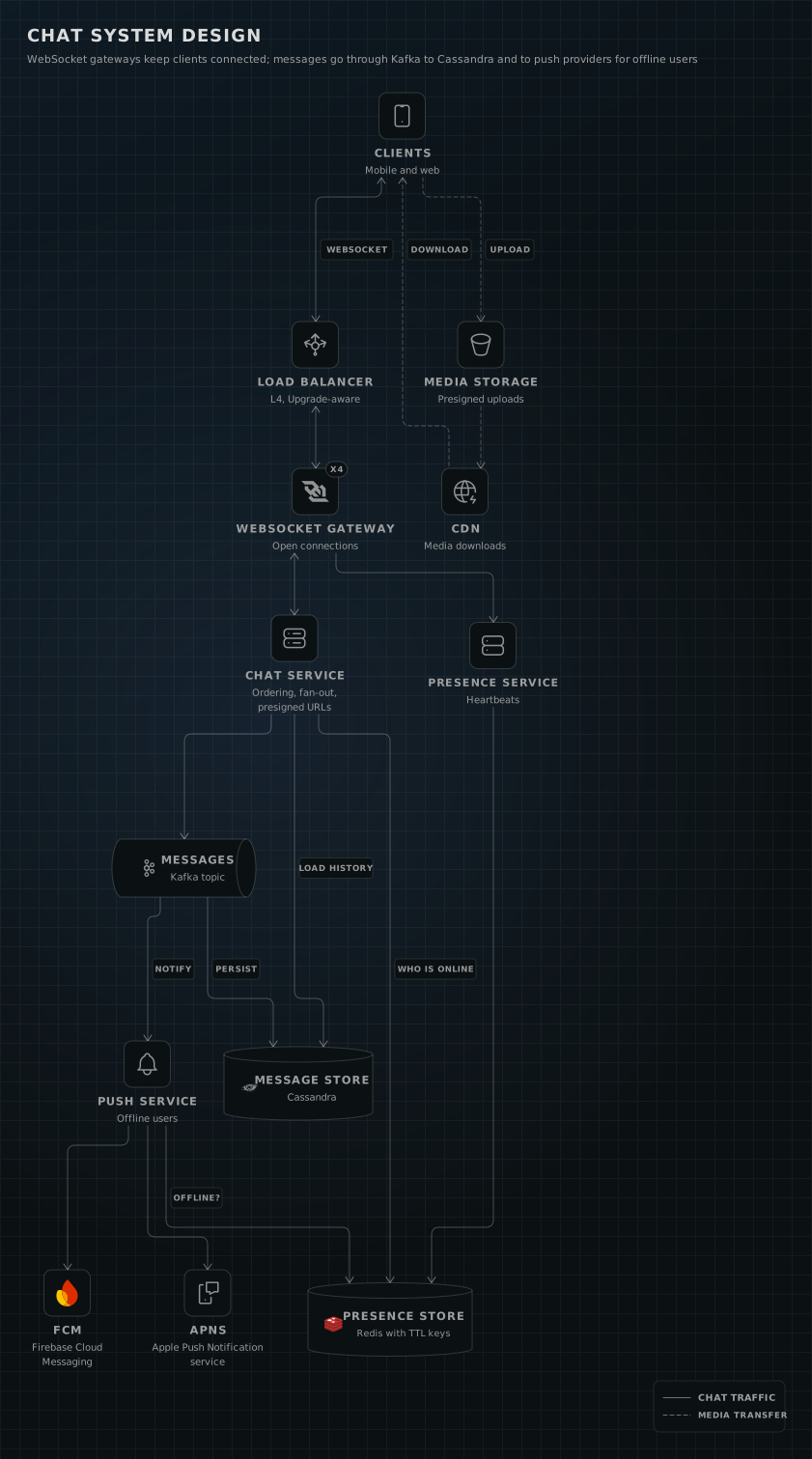
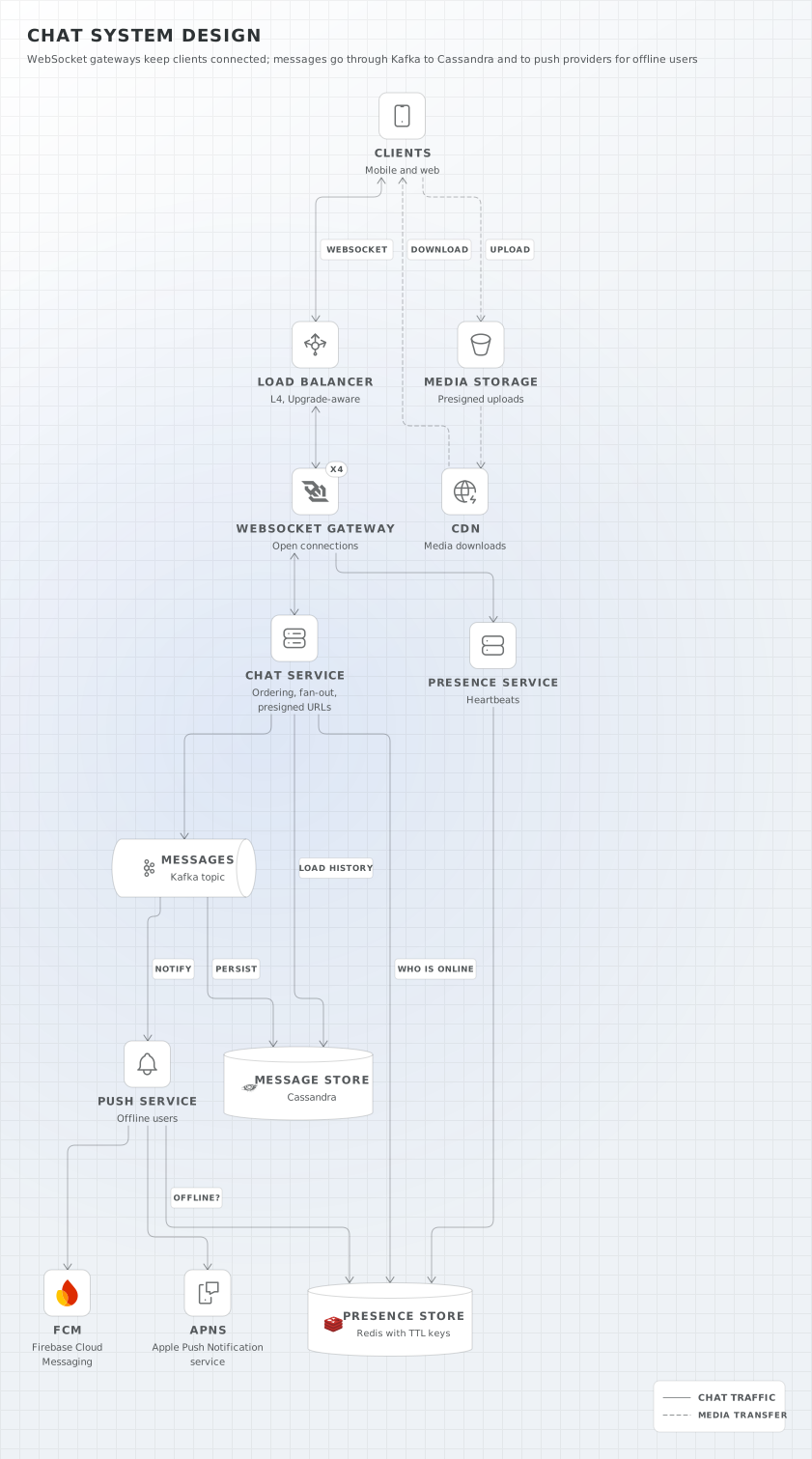
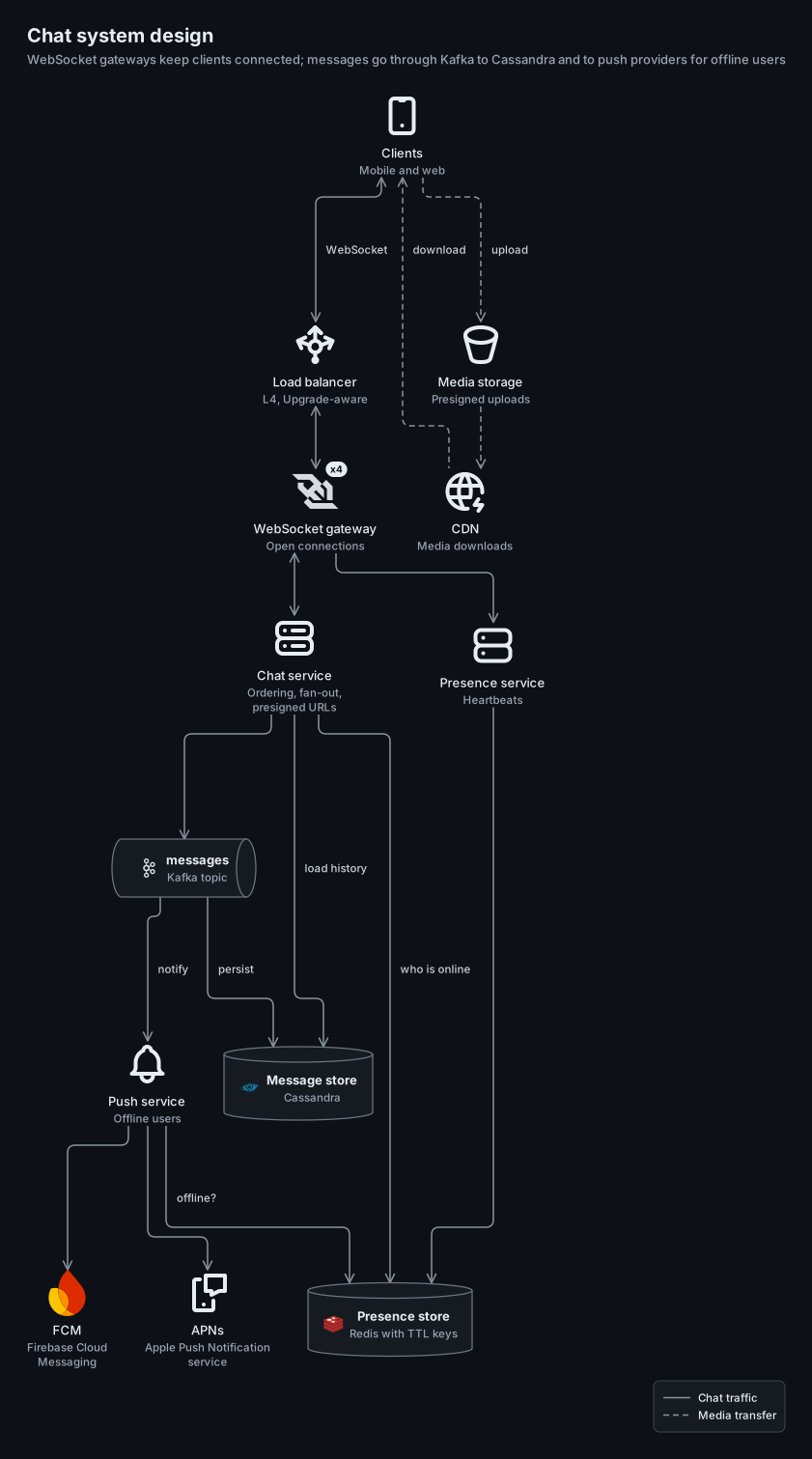
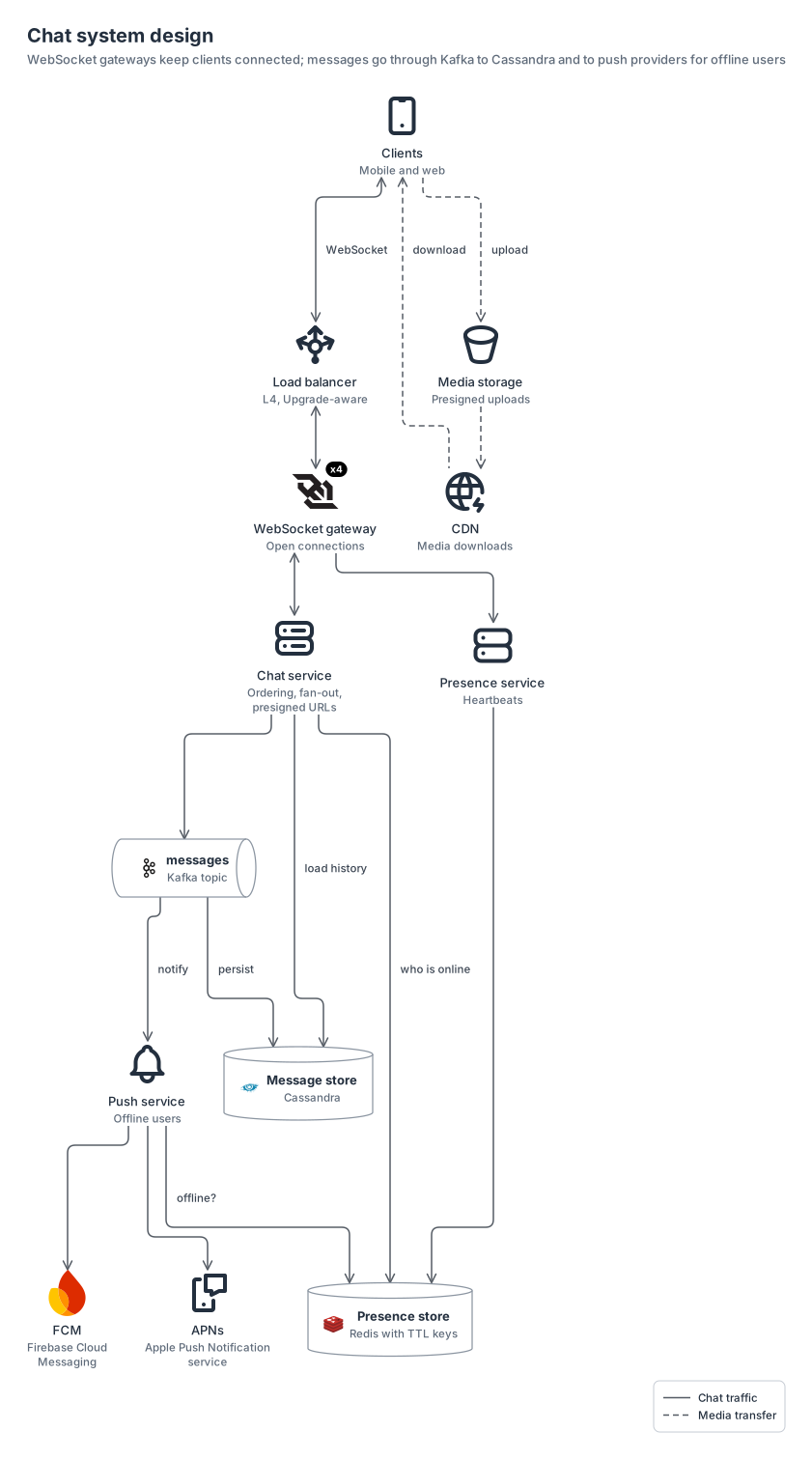
shape nodes for a whiteboard look (cylinders for stores, a queue for the Kafka topic) around WebSocket gateways, chat, presence and push services, media storage and a CDN.
logossitabler13 nodes0 groups13 edges
system-design-chat.yamlOn GitHub
# yaml-language-server: $schema=../references/diagram.schema.json
title: Chat system design
subtitle: WebSocket gateways keep clients connected; messages go through Kafka to Cassandra and to push providers for offline users
direction: down
# One port per edge: same-style edges that leave one node (the topic's two outputs, push to APNs and FCM) keep their own lines.
layout: { merge: false }

legend:
  solid: Chat traffic
  dashed: Media transfer

nodes:
  clients: { icon: generic:mobile, label: Clients, note: Mobile and web }
  lb: { icon: generic:load-balancer, label: Load balancer, note: "L4, Upgrade-aware" }
  gateway: { icon: logos:websocket, label: WebSocket gateway, note: Open connections, badge: x4 }
  chat: { icon: generic:servers, label: Chat service, note: "Ordering, fan-out, presigned URLs" }
  presence: { icon: generic:server, label: Presence service, note: Heartbeats }
  # Shapes give the whiteboard look: cylinders for stores, a queue for the topic.
  topic: { shape: queue, icon: logos:kafka-icon, label: messages, note: Kafka topic }
  status: { shape: cylinder, icon: logos:redis, label: Presence store, note: Redis with TTL keys }
  history: { shape: cylinder, icon: si:apachecassandra, label: Message store, note: Cassandra }
  push: { icon: generic:notification, label: Push service, note: Offline users }
  apns: { icon: tabler:device-mobile-message, label: APNs, note: Apple Push Notification service }
  fcm: { icon: logos:firebase-icon, label: FCM, note: Firebase Cloud Messaging }
  media: { icon: generic:bucket, label: Media storage, note: Presigned uploads }
  cdn: { icon: generic:cdn, label: CDN, note: Media downloads }

edges:
  - clients <-> lb: WebSocket
  - lb <-> gateway <-> chat
  - gateway -> presence -> status
  - chat -> status: who is online
  - push -> status: offline?
  - chat -> history: load history
  - chat -> topic
  - topic -> history: persist
  - topic -> push: notify
  - push -> apns, fcm
  - clients --> media: upload
  - media --> cdn
  # Written in layout order with the arrow flipped, so the download does not loop back to the first row.
  - { from: clients, to: cdn, arrow: start, line: dashed, label: download }
Start from this one
Copies the spec to diagram.yaml, then renders every format.
$ orrery init system-design-chat$ orrery render diagram.yaml -f all --theme both