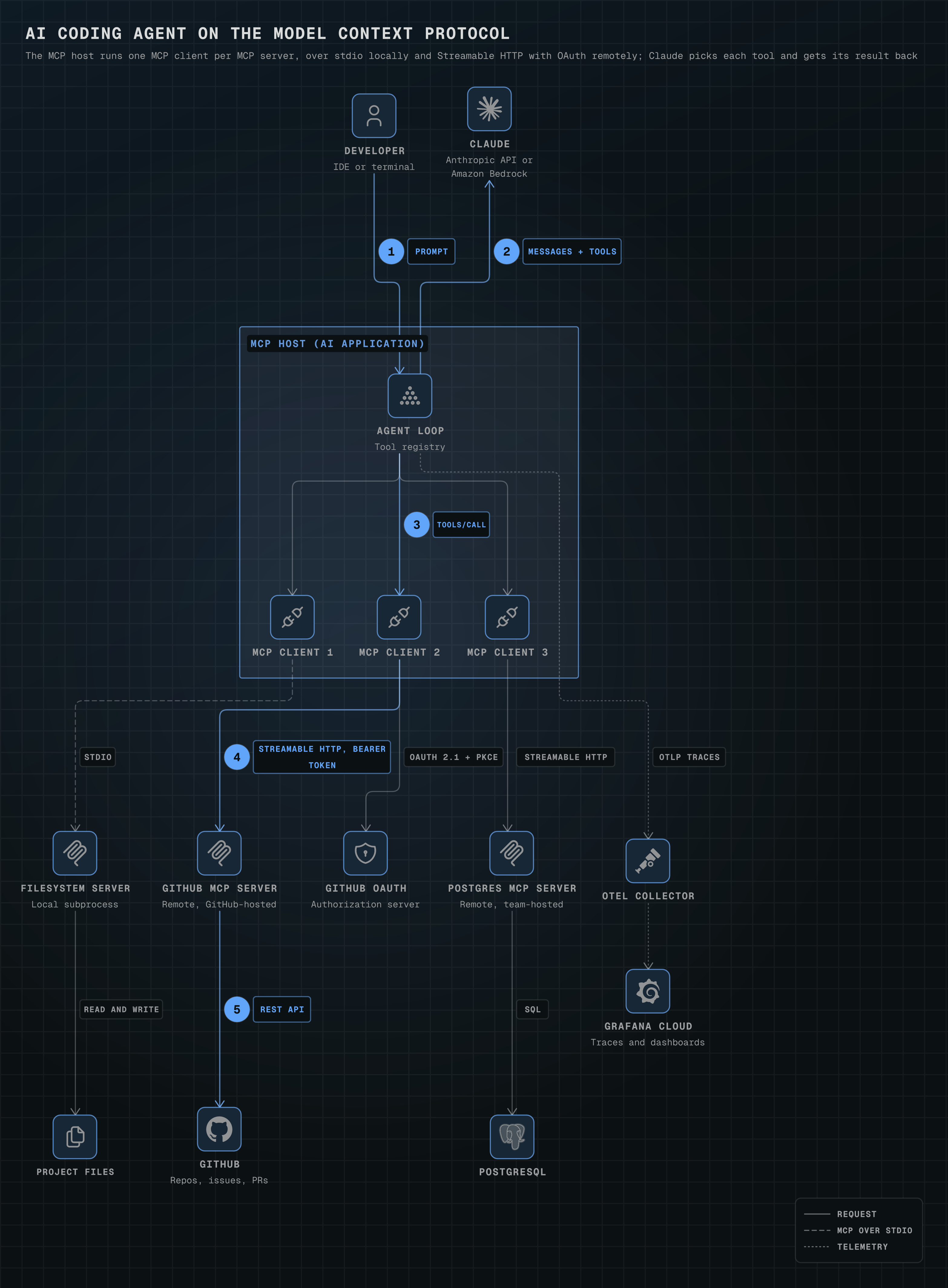
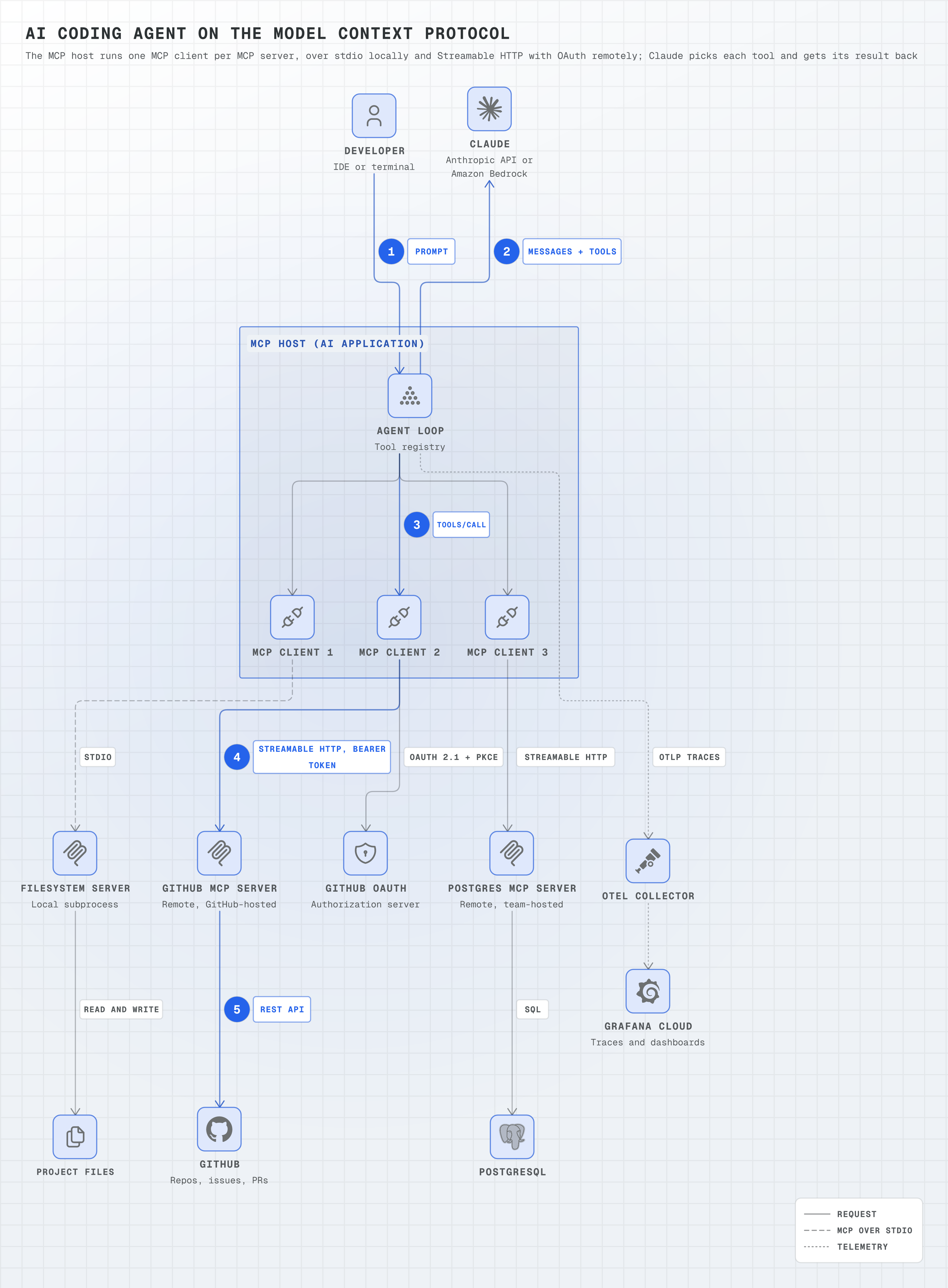
AI coding agent on the Model Context Protocol
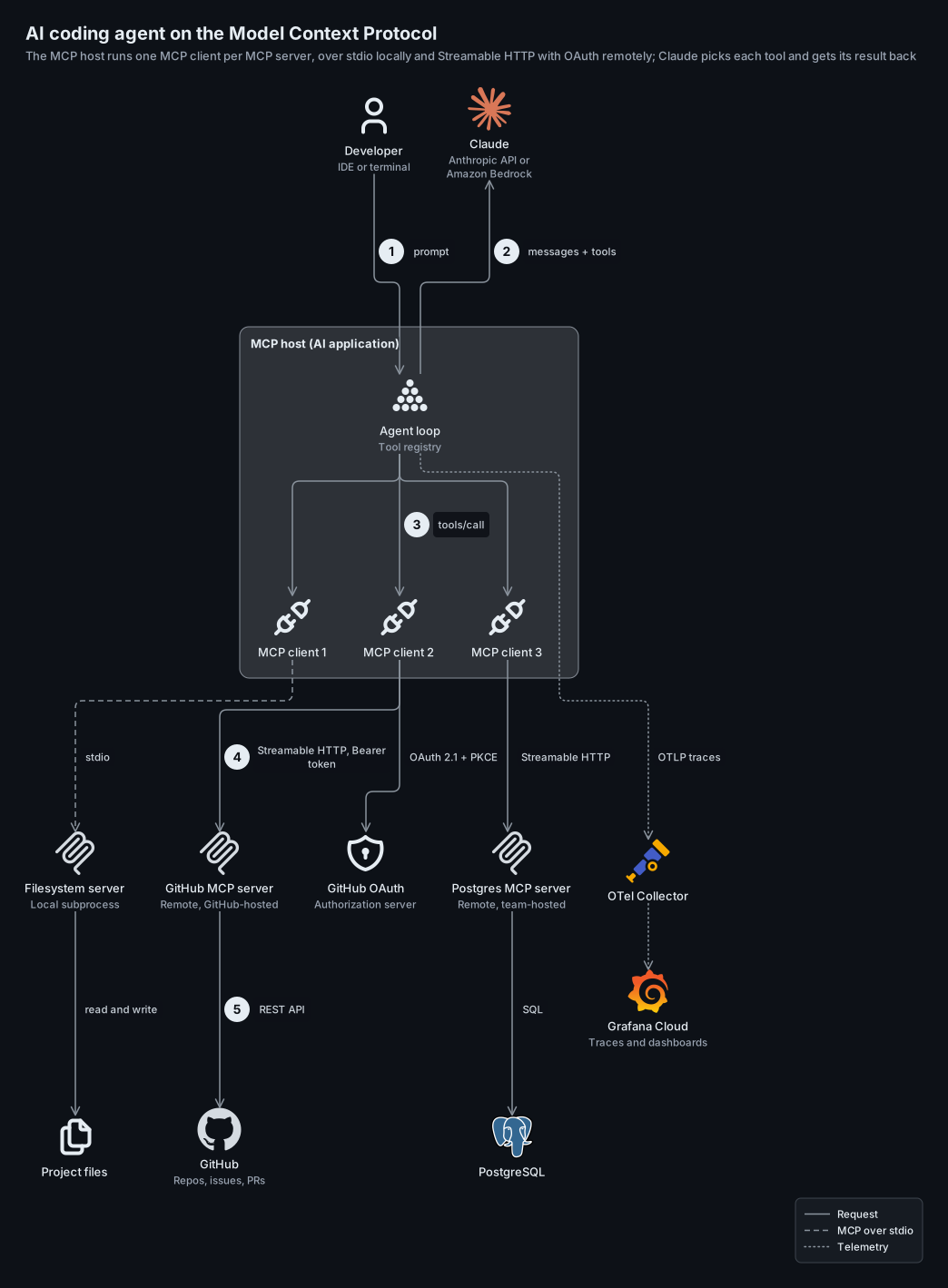
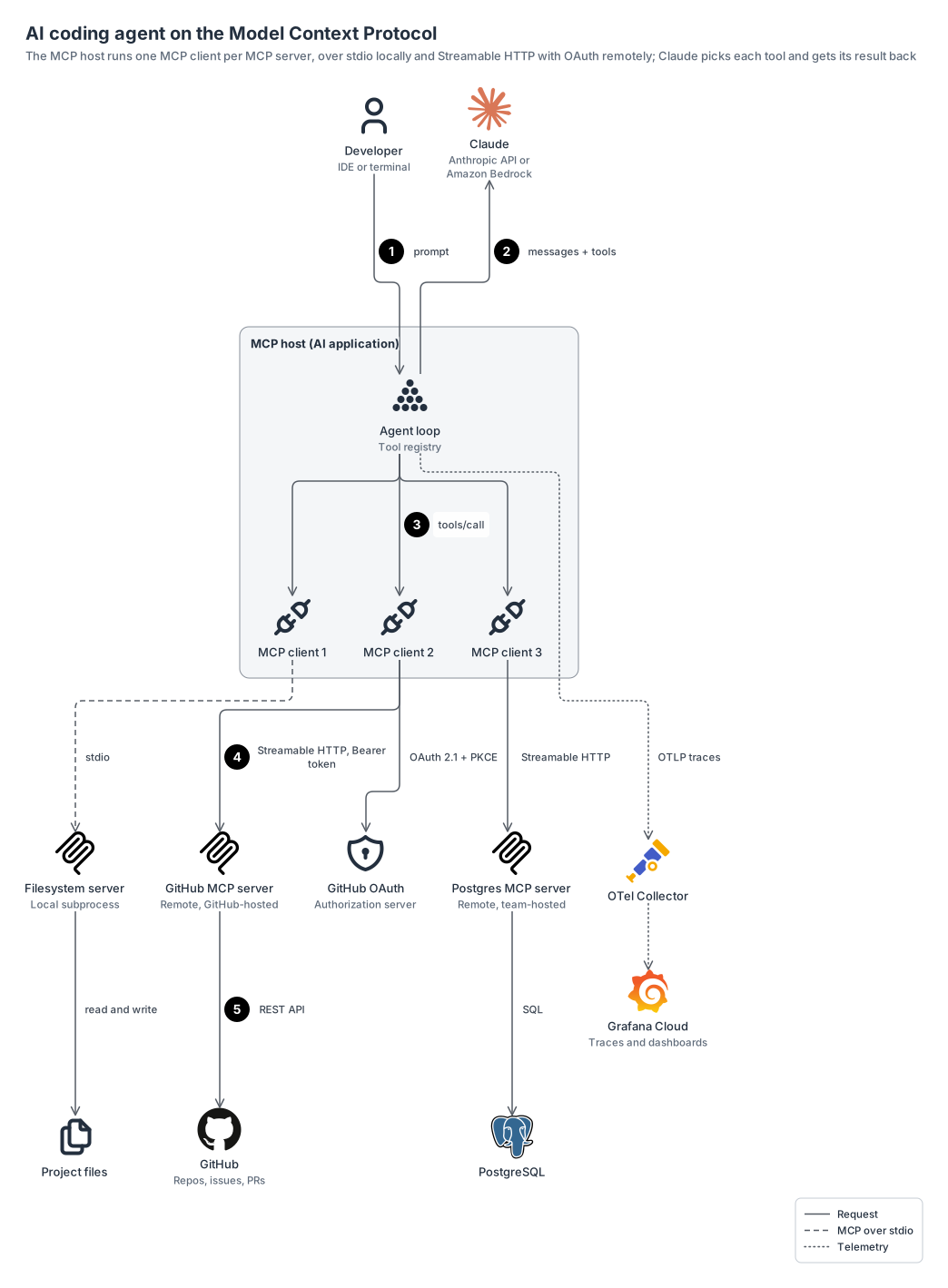
an AI coding agent on the Model Context Protocol: the MCP host runs one MCP client per server, stdio to a local filesystem server, Streamable HTTP with OAuth to remote GitHub and Postgres servers, Claude choosing each tool, and OTLP traces to Grafana Cloud.
logostabler15 nodes1 groups13 edges
ai-agent-mcp.yamlOn GitHub
# yaml-language-server: $schema=../references/diagram.schema.json
title: AI coding agent on the Model Context Protocol
subtitle: The MCP host runs one MCP client per MCP server, over stdio locally and Streamable HTTP with OAuth remotely; Claude picks each tool and gets its result back
direction: down

legend:
  solid: Request
  dashed: MCP over stdio
  dotted: Telemetry

groups:
  # Only the host is a group; local versus remote is in each server's note, as in the MCP architecture overview.
  host: { type: zone, label: MCP host (AI application) }

nodes:
  dev: { icon: generic:user, label: Developer, note: IDE or terminal }
  agent: { icon: tabler:ai-agent, label: Agent loop, note: Tool registry, in: host }
  # The architecture docs: "The MCP host accomplishes this by creating one MCP client for each MCP server."
  client-fs: { icon: tabler:plug-connected, label: MCP client 1, in: host }
  client-gh: { icon: tabler:plug-connected, label: MCP client 2, in: host }
  client-db: { icon: tabler:plug-connected, label: MCP client 3, in: host }
  claude: { icon: logos:claude-icon, label: Claude, note: Anthropic API or Amazon Bedrock }
  fs: { icon: logos:model-context-protocol-icon, label: Filesystem server, note: Local subprocess }
  files: { icon: generic:files, label: Project files }
  gh: { icon: logos:model-context-protocol-icon, label: GitHub MCP server, note: "Remote, GitHub-hosted" }
  # The remote server is the OAuth resource server; GitHub's authorization server issues the token.
  oauth: { icon: generic:auth, label: GitHub OAuth, note: Authorization server }
  ghapi: { icon: logos:github-icon, label: GitHub, note: "Repos, issues, PRs" }
  pg: { icon: logos:model-context-protocol-icon, label: Postgres MCP server, note: "Remote, team-hosted" }
  db: { icon: logos:postgresql, label: PostgreSQL }
  otel: { icon: logos:opentelemetry-icon, label: OTel Collector }
  grafana: { icon: logos:grafana, label: Grafana Cloud, note: Traces and dashboards }

edges:
  # One tool call against the GitHub server, in order.
  - dev -> agent: { label: prompt, step: 1 }
  # Written in layout order with the arrow flipped, so Claude sits beside the developer above the host.
  - { from: claude, to: agent, arrow: start, label: messages + tools, step: 2 }
  - agent -> client-gh: { label: tools/call, step: 3 }
  # Every HTTP request to the MCP endpoint carries the access token in an Authorization: Bearer header.
  - client-gh -> gh: { label: "Streamable HTTP, Bearer token", step: 4 }
  - gh -> ghapi: { label: REST API, step: 5 }
  - client-gh -> oauth: OAuth 2.1 + PKCE
  - agent -> client-fs, client-db
  # stdio: the client launches the server as a subprocess; credentials come from the environment, not OAuth.
  - client-fs --> fs: stdio
  - fs -> files: read and write
  - client-db -> pg: Streamable HTTP
  - pg -> db: SQL
  - agent ..> otel: OTLP traces
  - otel ..> grafana
Start from this one
Copies the spec to diagram.yaml, then renders every format.
$ orrery init ai-agent-mcp$ orrery render diagram.yaml -f all --theme both