Data lake on AWS
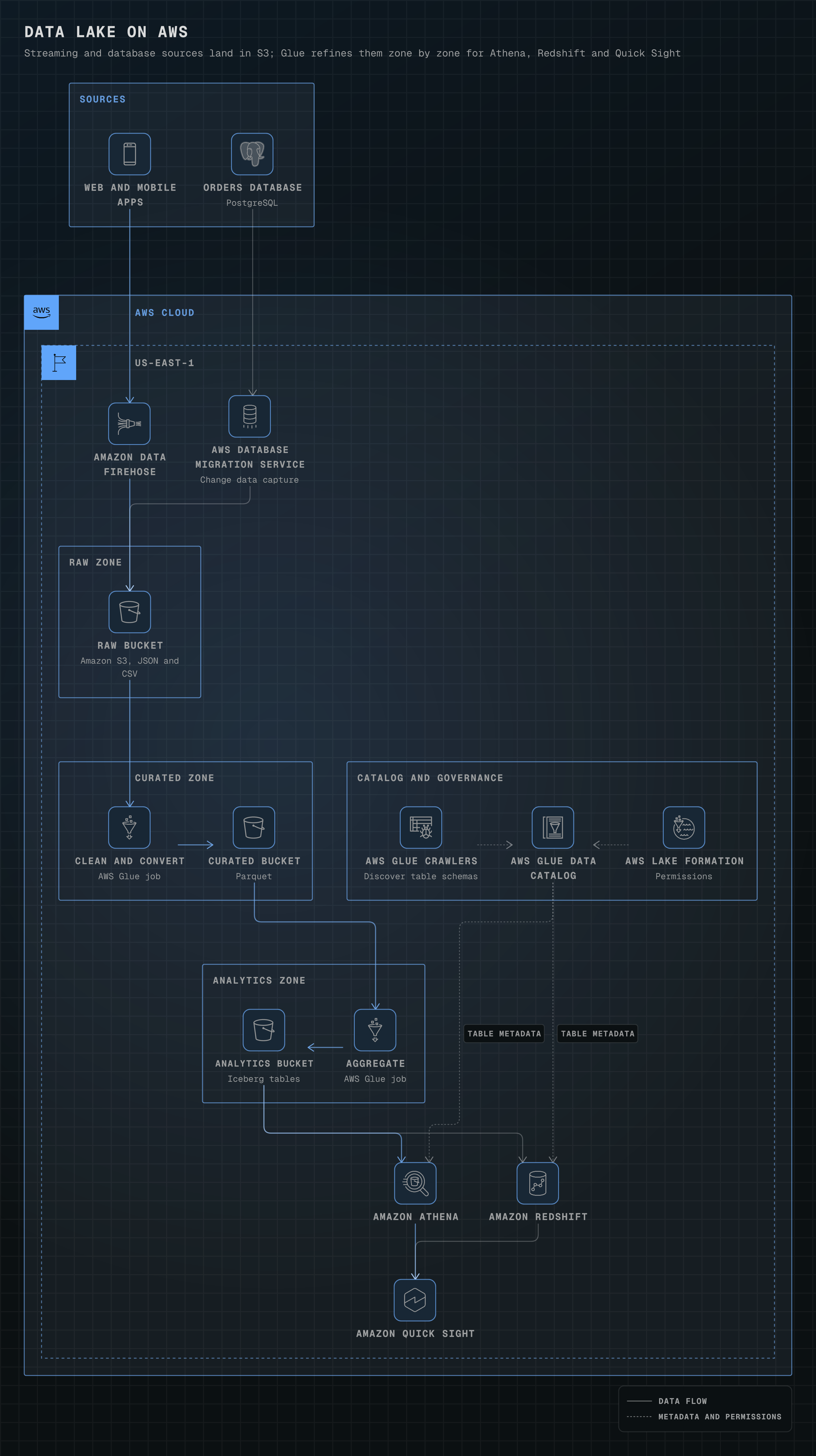
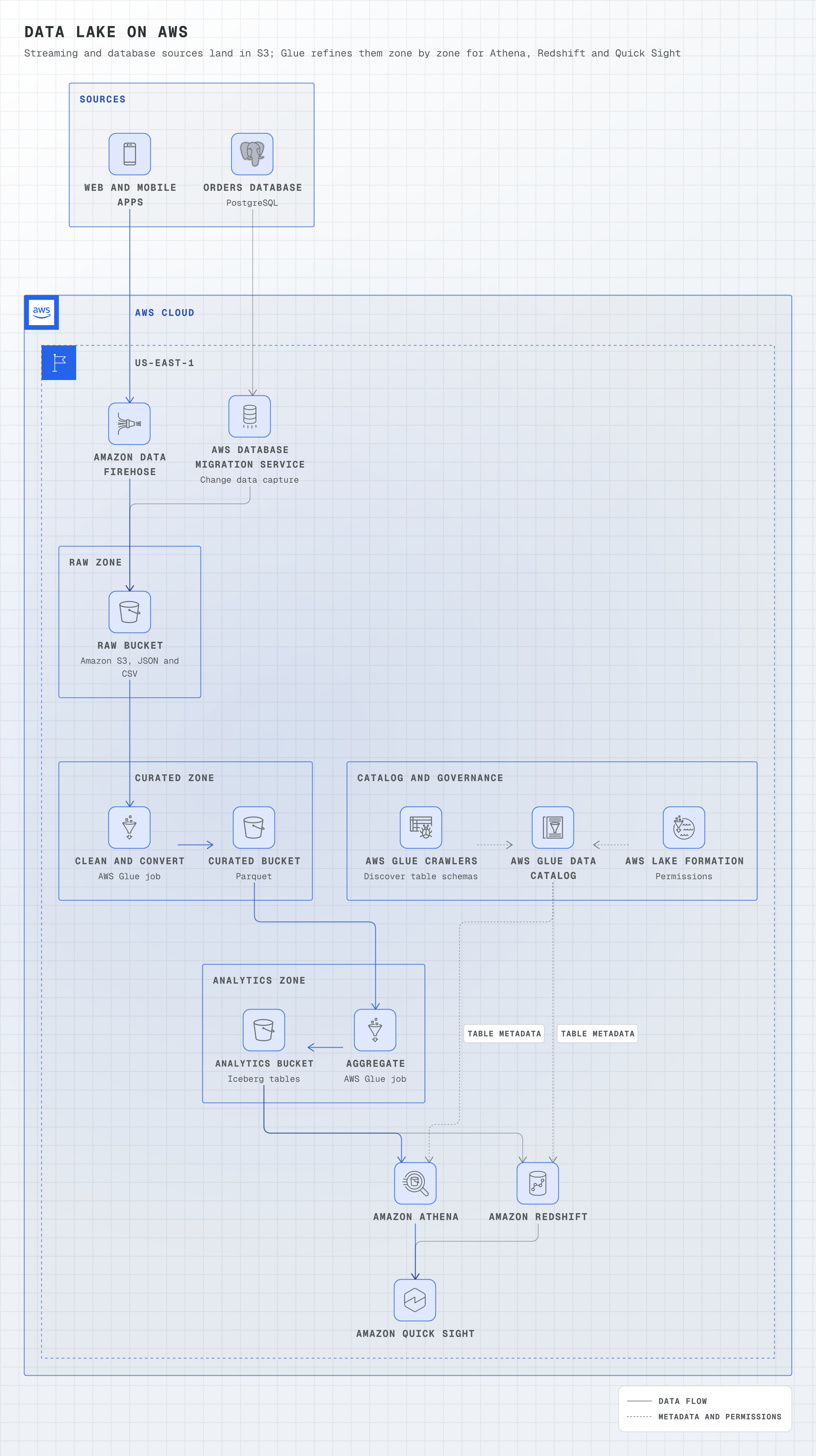
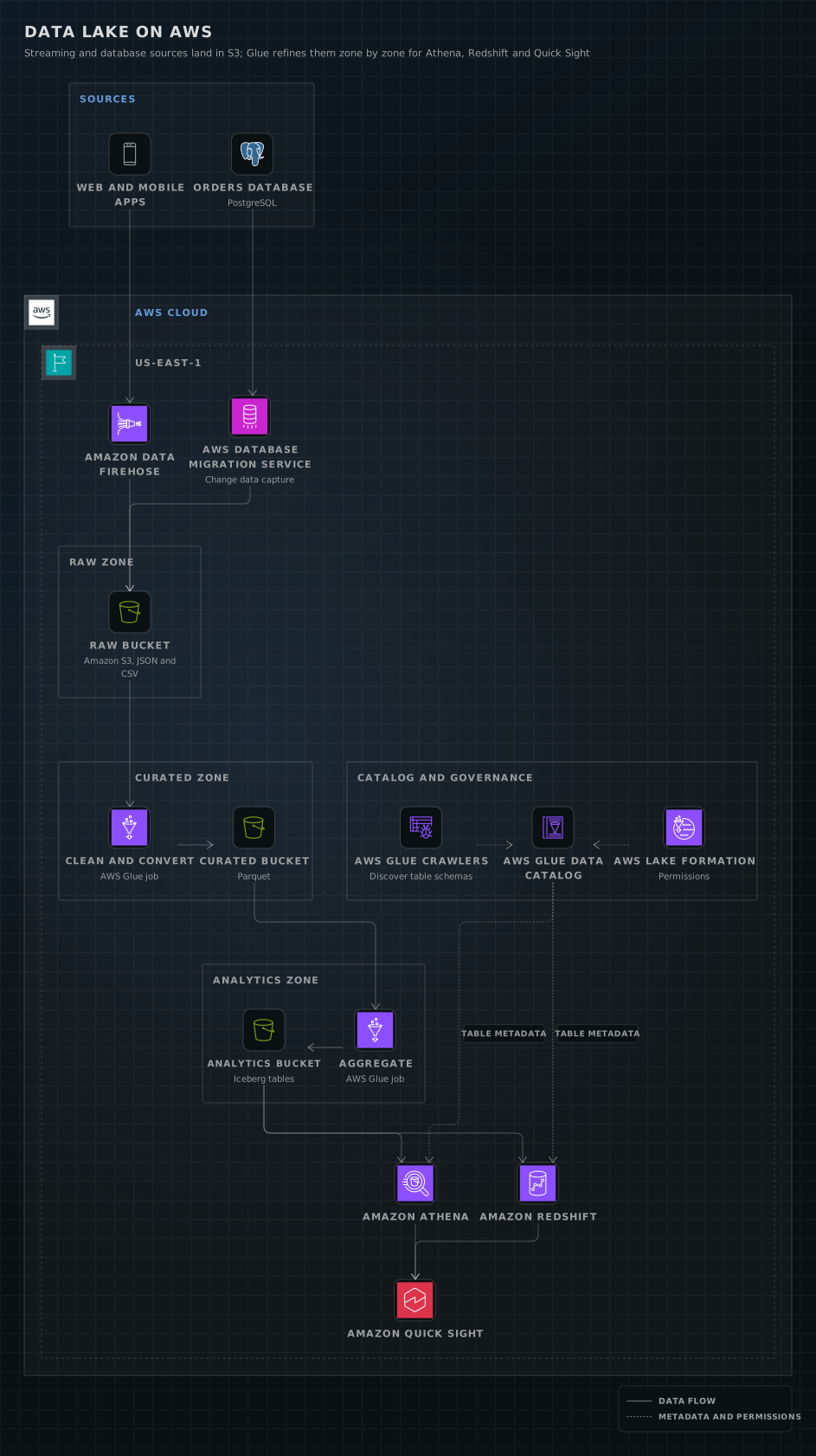
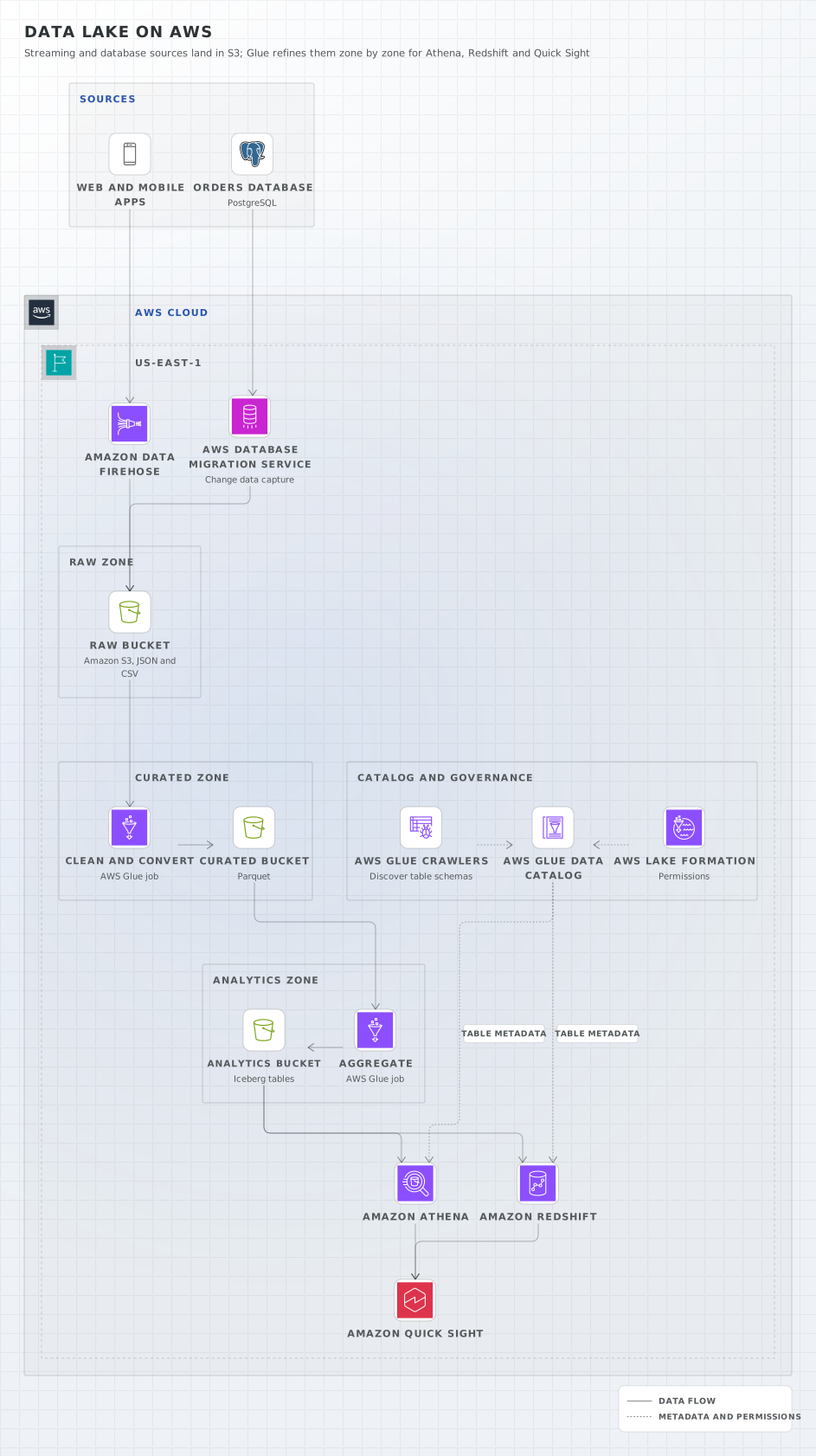
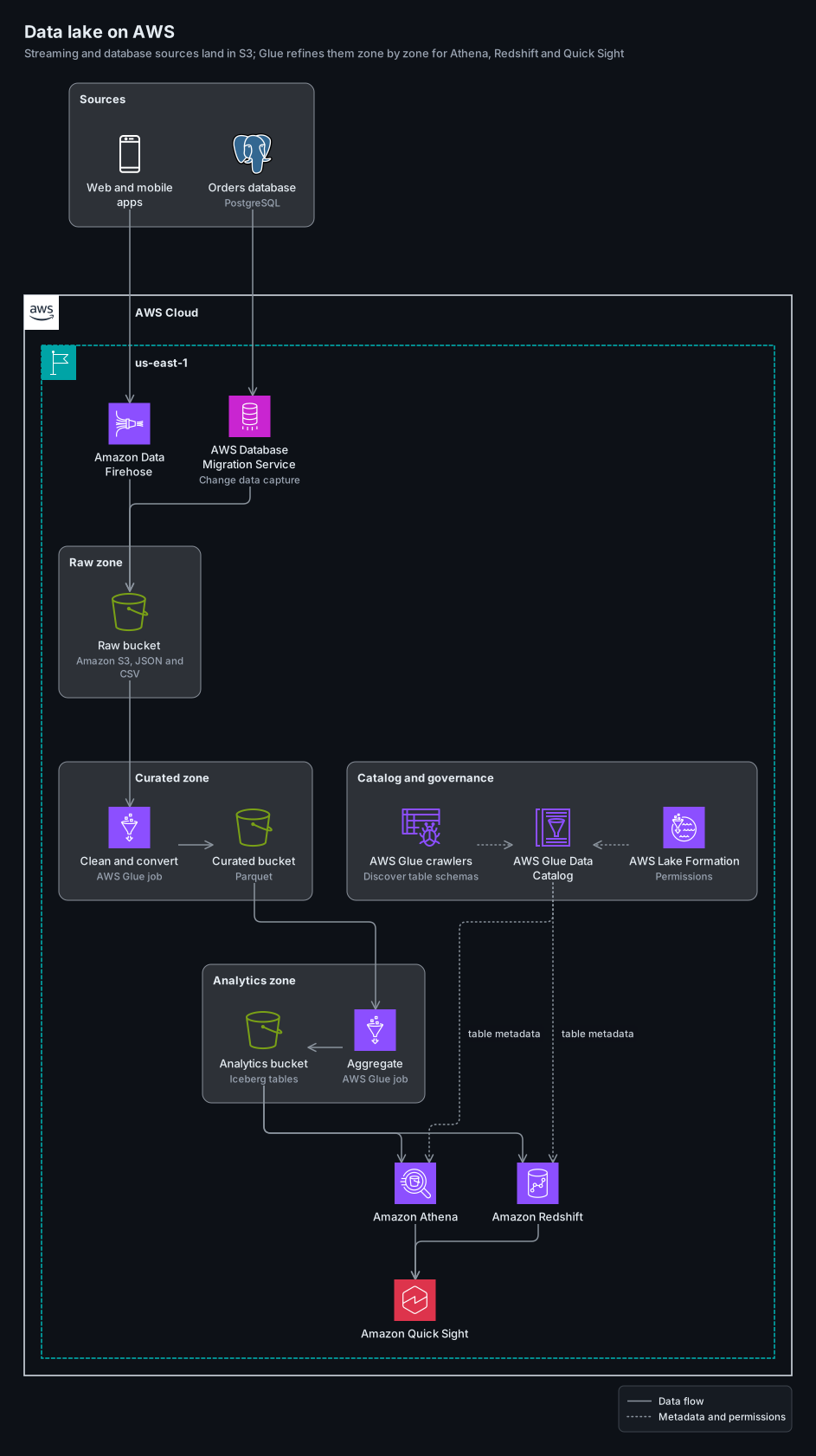
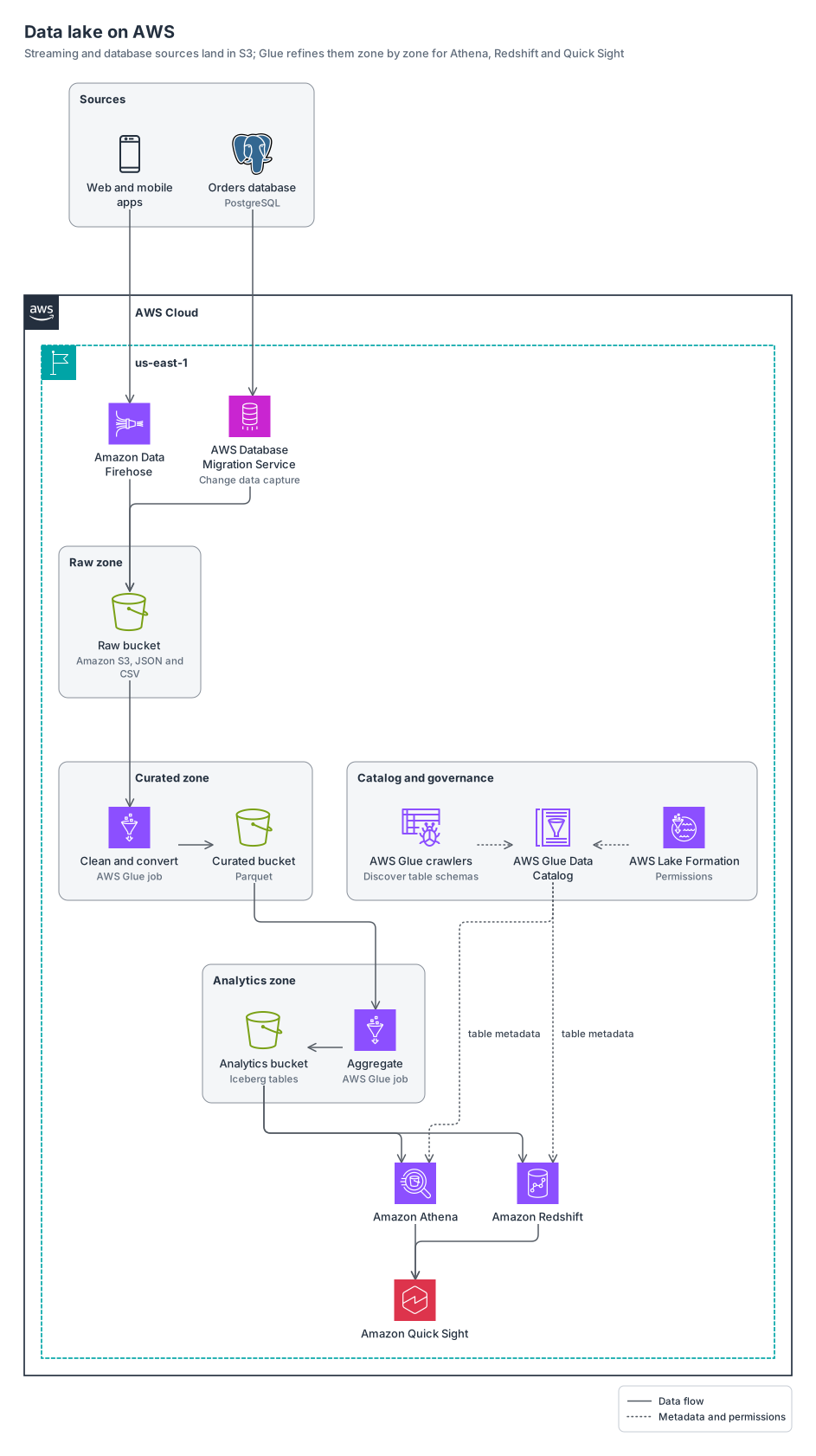
Firehose and DMS land data in raw, curated and analytics zones refined by Glue jobs, with the catalog and Lake Formation beside the zones and Athena, Redshift and Quick Sight at the bottom.
awslogos15 nodes7 groups10 edges
aws-data-lake.yamlOn GitHub
# yaml-language-server: $schema=../references/diagram.schema.json
title: Data lake on AWS
subtitle: Streaming and database sources land in S3; Glue refines them zone by zone for Athena, Redshift and Quick Sight
direction: down
# Down keeps the labels readable at README width. simplex keeps Catalog and governance beside the
# data zones instead of in the first row.
layout: { layering: simplex }

legend:
  solid: Data flow
  dotted: Metadata and permissions

groups:
  sources: { type: zone, label: Sources }
  cloud: { type: aws:cloud }
  region: { type: aws:region, label: us-east-1, in: cloud }
  raw-zone: { type: zone, label: Raw zone, in: region }
  curated-zone: { type: zone, label: Curated zone, in: region }
  analytics-zone: { type: zone, label: Analytics zone, in: region }
  governance: { type: zone, label: Catalog and governance, in: region }

nodes:
  apps: { icon: aws:mobile-client, label: Web and mobile apps, in: sources }
  ordersdb: { icon: logos:postgresql, label: Orders database, note: PostgreSQL, in: sources }
  firehose: { icon: aws:firehose, label: Amazon Data Firehose, in: region }
  dms: { icon: aws:dms, label: AWS Database Migration Service, note: Change data capture, in: region }
  raw: { icon: aws:simple-storage-service-bucket, label: Raw bucket, note: "Amazon S3, JSON and CSV", in: raw-zone }
  clean: { icon: aws:glue, label: Clean and convert, note: AWS Glue job, in: curated-zone }
  curated: { icon: aws:simple-storage-service-bucket, label: Curated bucket, note: Parquet, in: curated-zone }
  analytics: { icon: aws:simple-storage-service-bucket, label: Analytics bucket, note: Iceberg tables, in: analytics-zone }
  aggregate: { icon: aws:glue, label: Aggregate, note: AWS Glue job, in: analytics-zone }
  crawler: { icon: aws:glue-crawler, label: AWS Glue crawlers, note: Discover table schemas, in: governance }
  catalog: { icon: aws:glue-data-catalog, label: AWS Glue Data Catalog, in: governance }
  lf: { icon: aws:lake-formation, label: AWS Lake Formation, note: Permissions, in: governance }
  athena: { icon: aws:athena, label: Amazon Athena, in: region }
  redshift: { icon: aws:redshift, label: Amazon Redshift, in: region }
  quicksight: { icon: aws:quick, label: Amazon Quick Sight, in: region }

edges:
  - apps -> firehose -> raw
  - ordersdb -> dms -> raw
  - raw -> clean
  # constraint: false puts each zone's Glue job and bucket side by side instead of in two rows.
  - { from: clean, to: curated, constraint: false }
  - curated -> aggregate
  - { from: aggregate, to: analytics, constraint: false }
  - analytics -> athena, redshift
  - athena, redshift -> quicksight
  # Metadata and permissions are dotted.
  - { from: [crawler, lf], to: catalog, line: dotted, constraint: false }
  - catalog ..> athena, redshift: table metadata
Start from this one
Copies the spec to diagram.yaml, then renders every format.
$ orrery init aws-data-lake$ orrery render diagram.yaml -f all --theme both