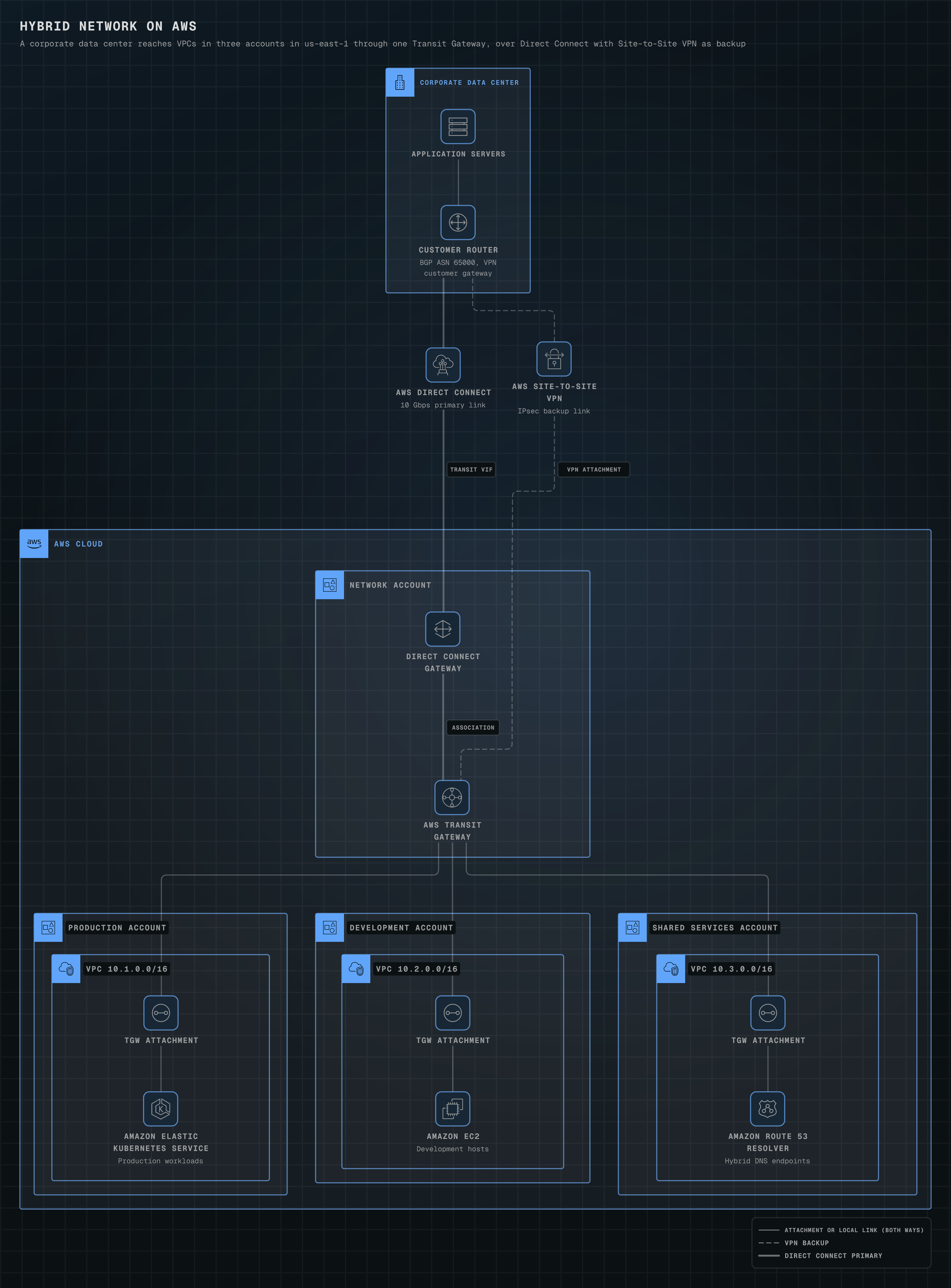
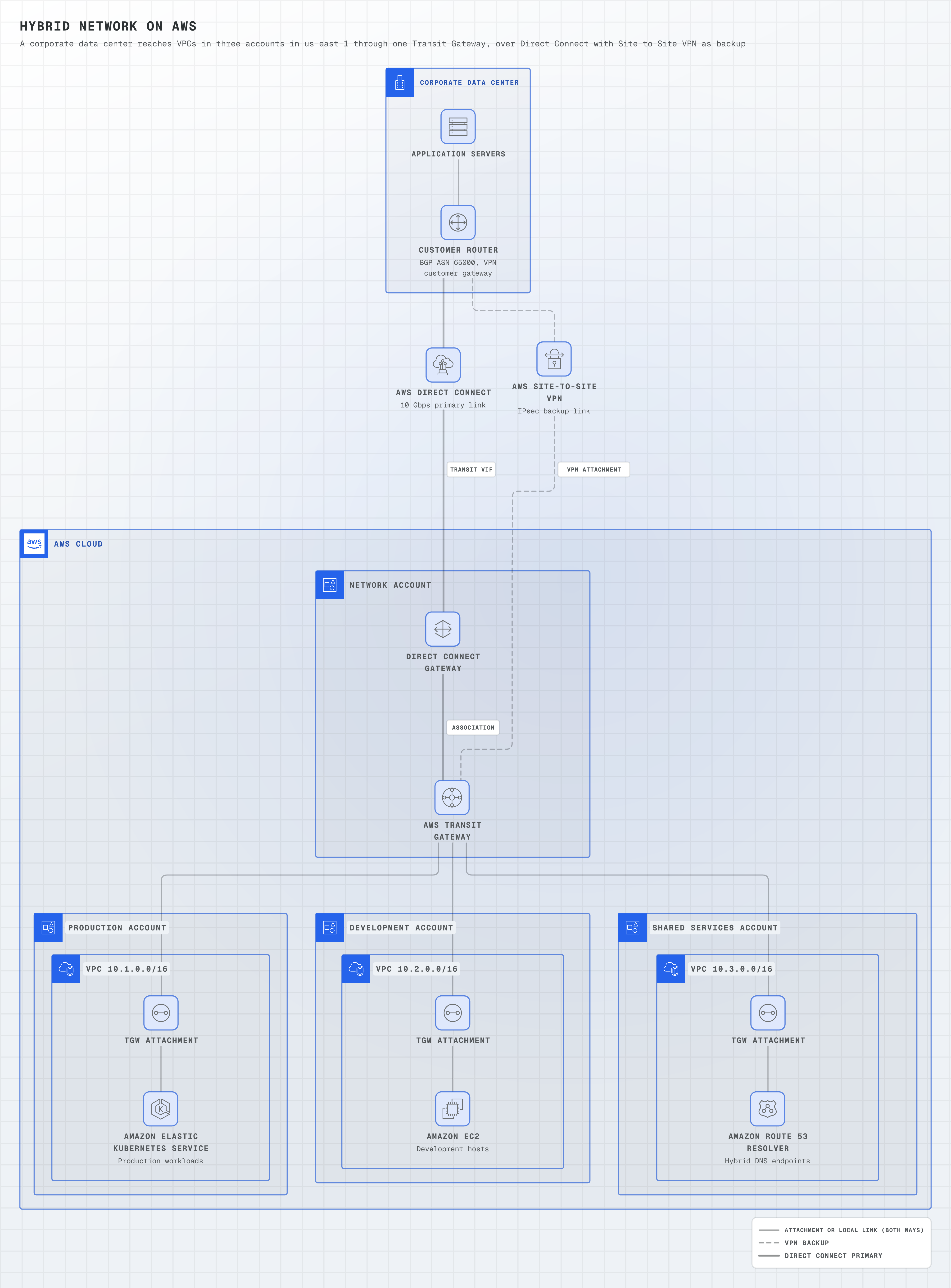
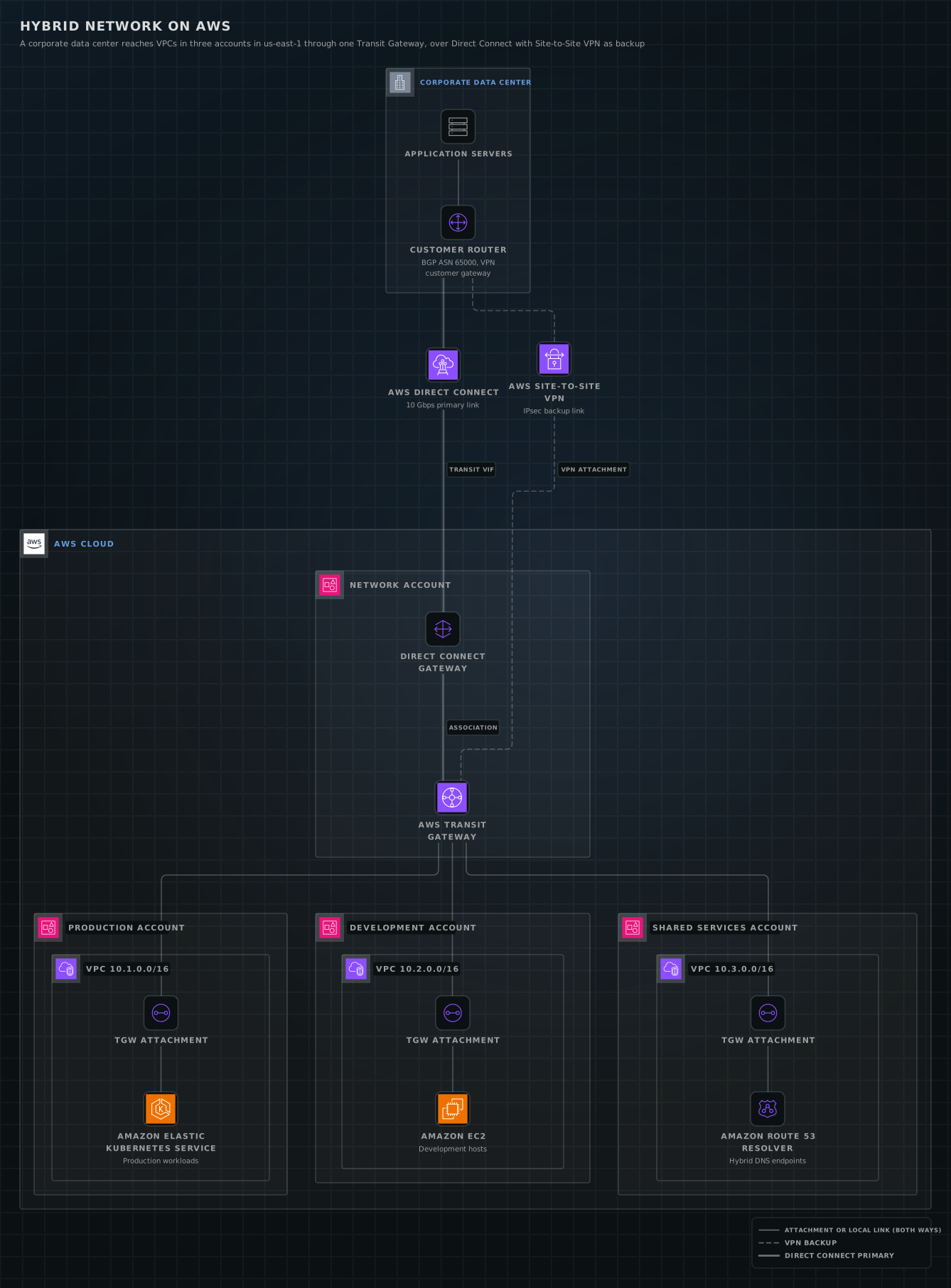
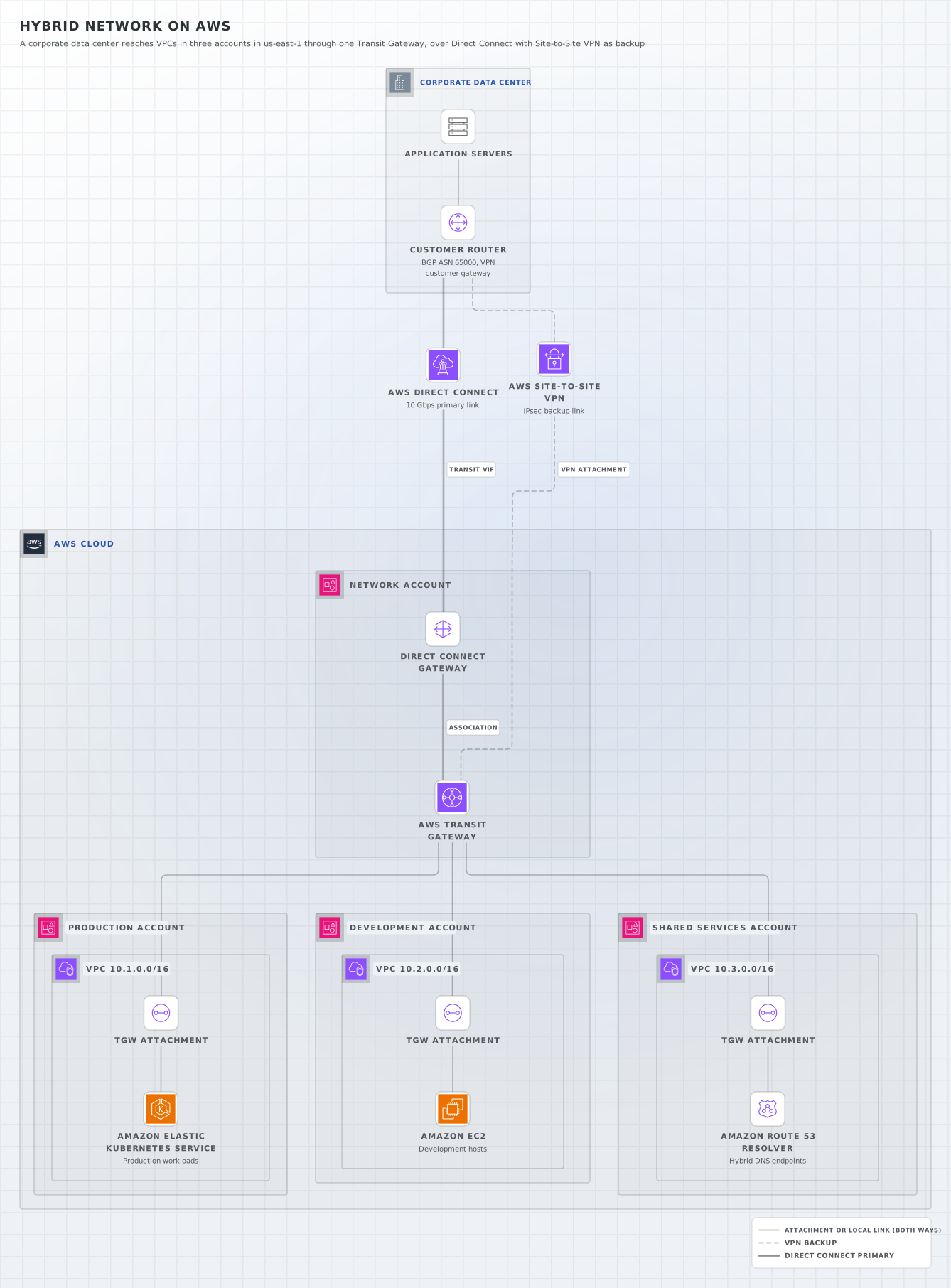
Hybrid network on AWS
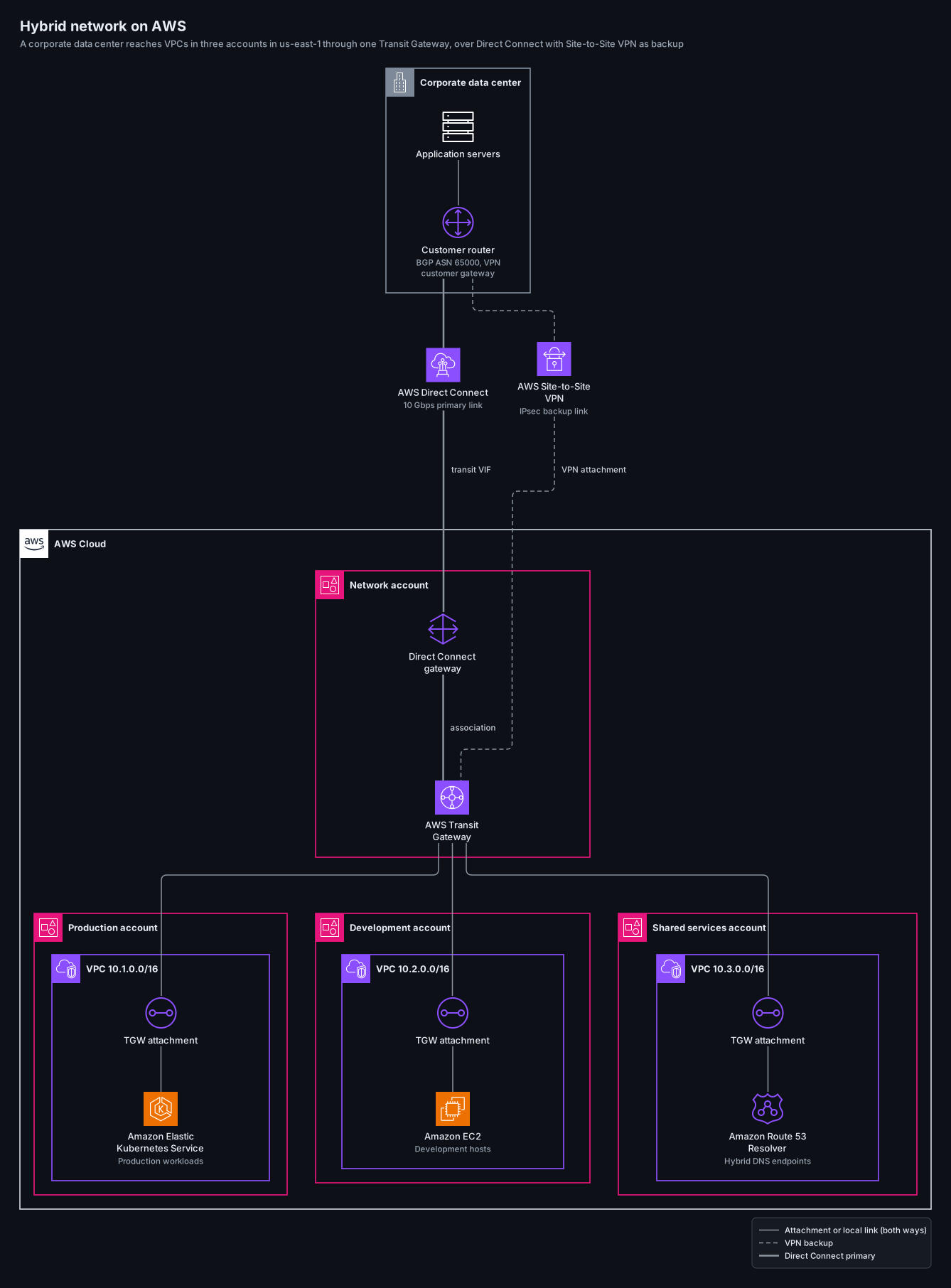
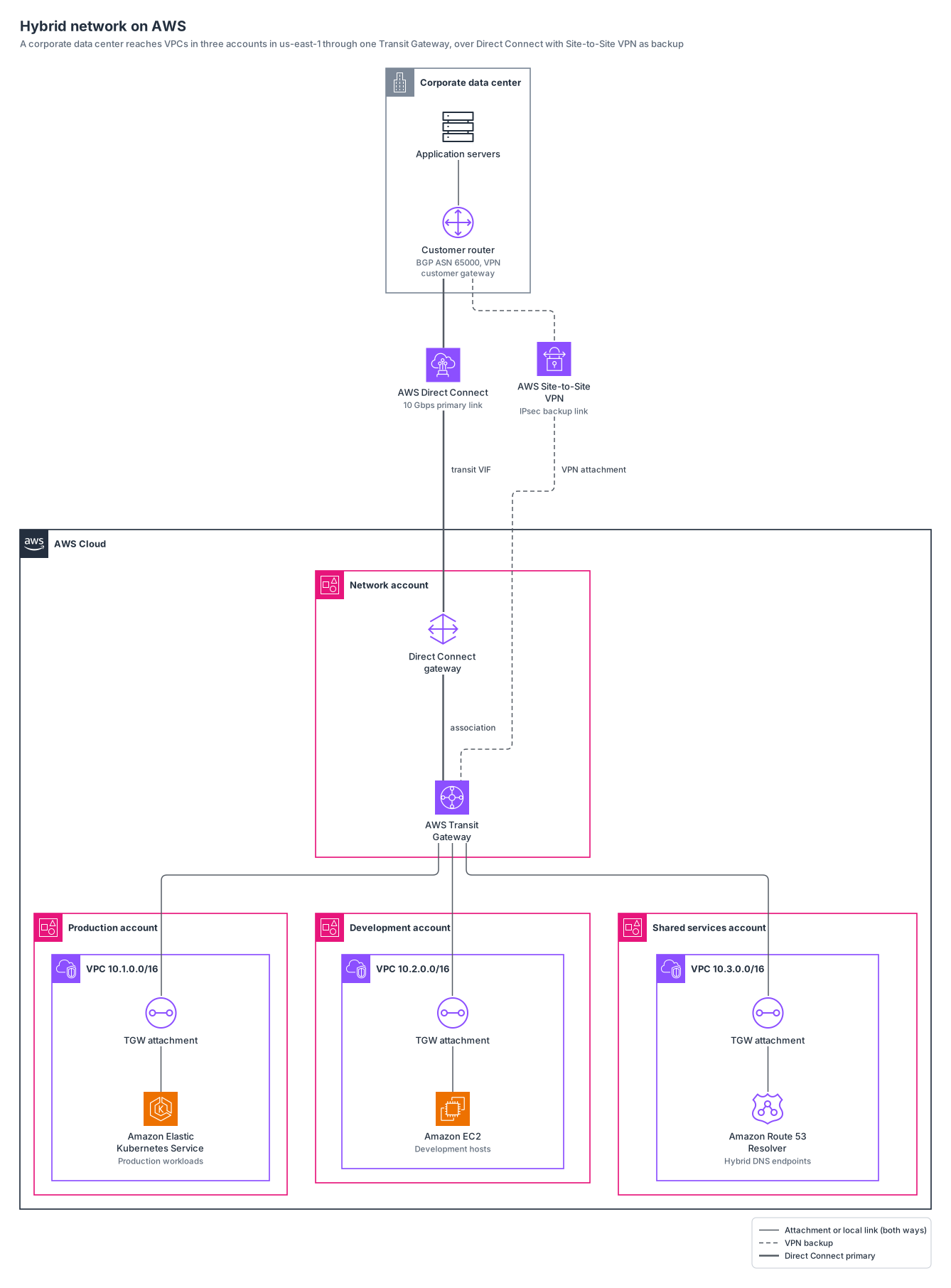
a corporate data center reaches VPCs in three AWS accounts in us-east-1 through a Transit Gateway, over Direct Connect with a Site-to-Site VPN backup.
aws12 nodes9 groups9 edges
aws-hybrid-network.yamlOn GitHub
# yaml-language-server: $schema=../references/diagram.schema.json
title: Hybrid network on AWS
subtitle: A corporate data center reaches VPCs in three accounts in us-east-1 through one Transit Gateway, over Direct Connect with Site-to-Site VPN as backup
direction: down
# merge: false keeps the three solid Transit Gateway attachment links off one shared trunk.
layout: { merge: false }

legend:
  solid: Attachment or local link (both ways)
  dashed: VPN backup
  thick: Direct Connect primary

groups:
  dc: { type: aws:corporate-dc, label: Corporate data center }
  cloud: { type: aws:cloud }
  network: { type: aws:account, label: Network account, in: cloud }
  prod: { type: aws:account, label: Production account, in: cloud }
  prod-vpc: { type: aws:vpc, label: VPC 10.1.0.0/16, in: prod }
  dev: { type: aws:account, label: Development account, in: cloud }
  dev-vpc: { type: aws:vpc, label: VPC 10.2.0.0/16, in: dev }
  shared: { type: aws:account, label: Shared services account, in: cloud }
  shared-vpc: { type: aws:vpc, label: VPC 10.3.0.0/16, in: shared }

nodes:
  servers: { icon: aws:servers, label: Application servers, in: dc }
  router: { icon: aws:vpc-customer-gateway, label: Customer router, note: "BGP ASN 65000, VPN customer gateway", in: dc }
  dx: { icon: aws:direct-connect, label: AWS Direct Connect, note: 10 Gbps primary link }
  vpn: { icon: aws:site-to-site-vpn, label: AWS Site-to-Site VPN, note: IPsec backup link }
  dxgw: { icon: aws:direct-connect-gateway, label: Direct Connect gateway, in: network }
  tgw: { icon: aws:tgw, label: AWS Transit Gateway, in: network }
  prod-att: { icon: aws:transit-gateway-attachment, label: TGW attachment, in: prod-vpc }
  prod-app: { icon: aws:eks, label: Amazon Elastic Kubernetes Service, note: Production workloads, in: prod-vpc }
  dev-att: { icon: aws:transit-gateway-attachment, label: TGW attachment, in: dev-vpc }
  dev-app: { icon: aws:ec2, label: Amazon EC2, note: Development hosts, in: dev-vpc }
  shared-att: { icon: aws:transit-gateway-attachment, label: TGW attachment, in: shared-vpc }
  dns: { icon: aws:route-53-resolver, label: Amazon Route 53 Resolver, note: Hybrid DNS endpoints, in: shared-vpc }

# Network links carry traffic both ways, so they are drawn without arrowheads.
edges:
  - servers -- router
  - router === dx
  - dx === dxgw: transit VIF
  - dxgw === tgw: association
  - router --- vpn
  - vpn --- tgw: VPN attachment
  - tgw -- prod-att -- prod-app
  - tgw -- dev-att -- dev-app
  - tgw -- shared-att -- dns
Start from this one
Copies the spec to diagram.yaml, then renders every format.
$ orrery init aws-hybrid-network$ orrery render diagram.yaml -f all --theme both