Order desk
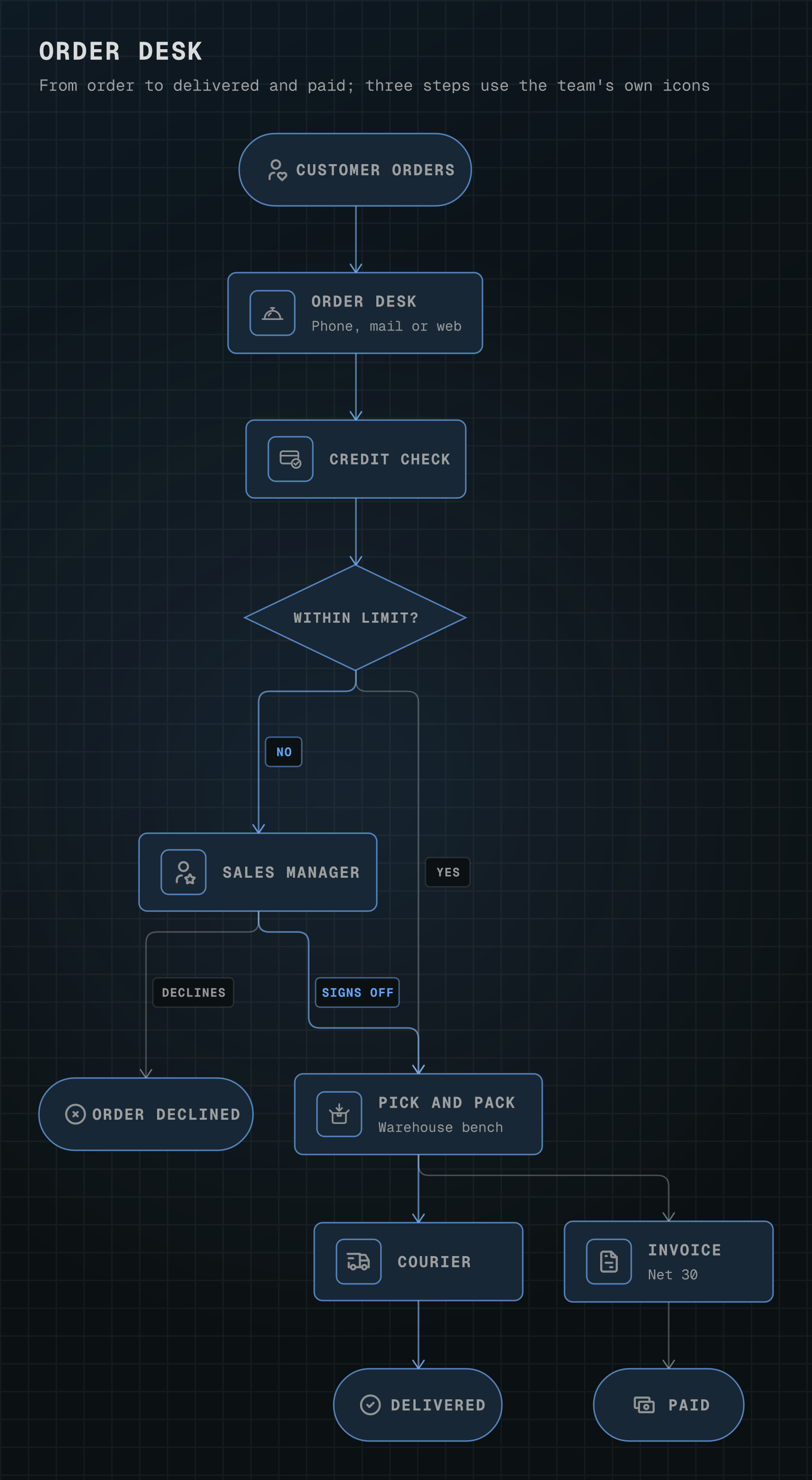
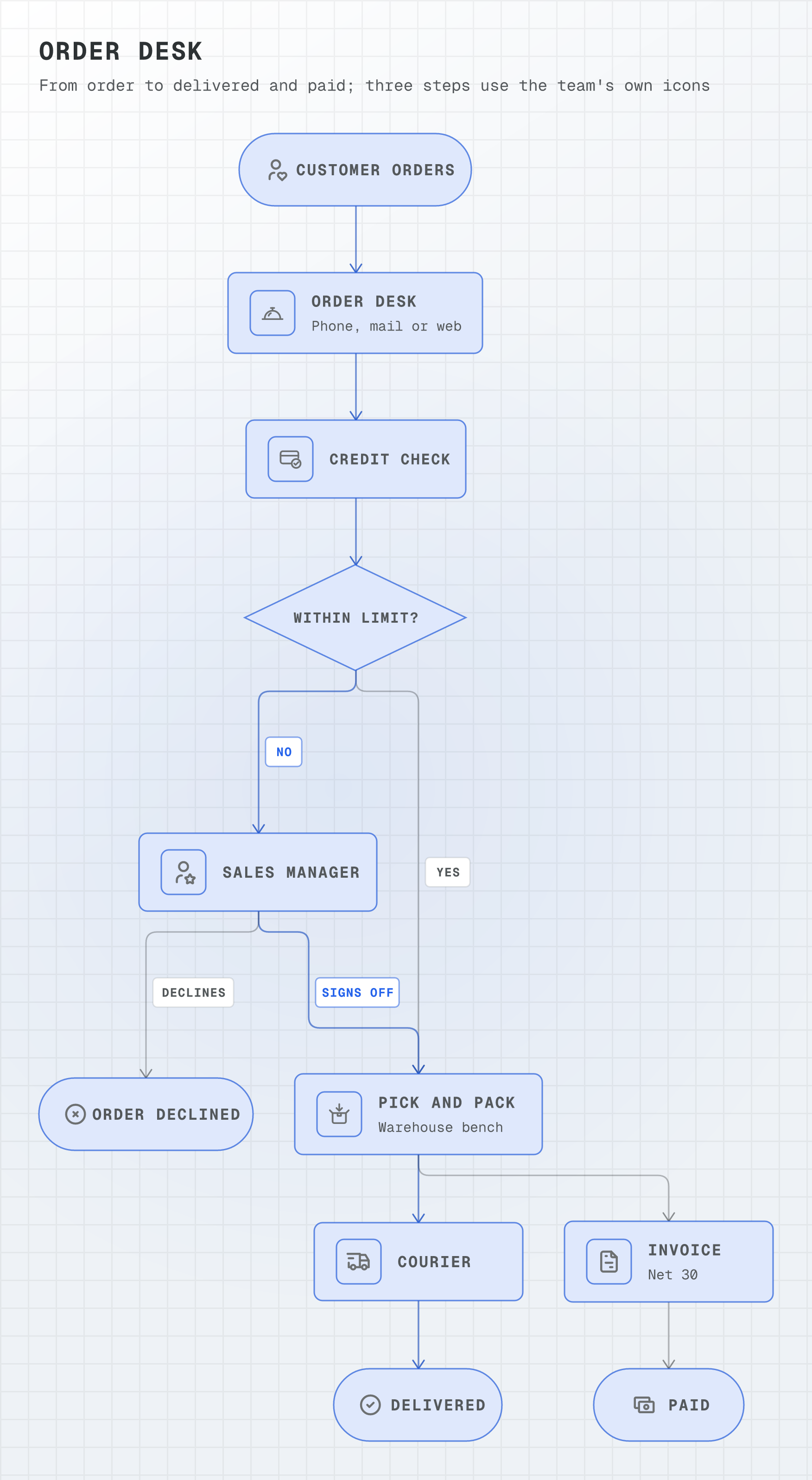
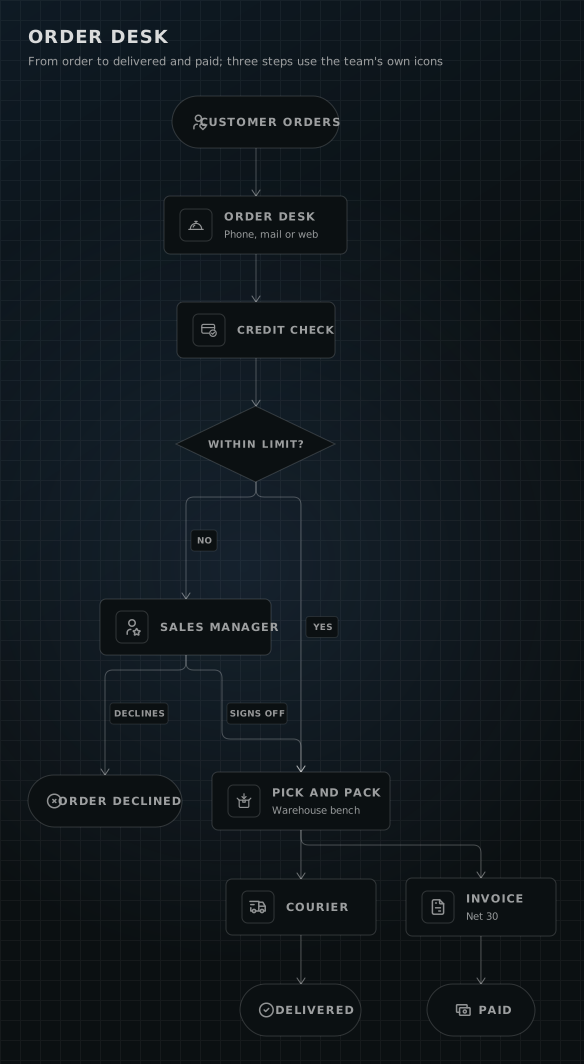
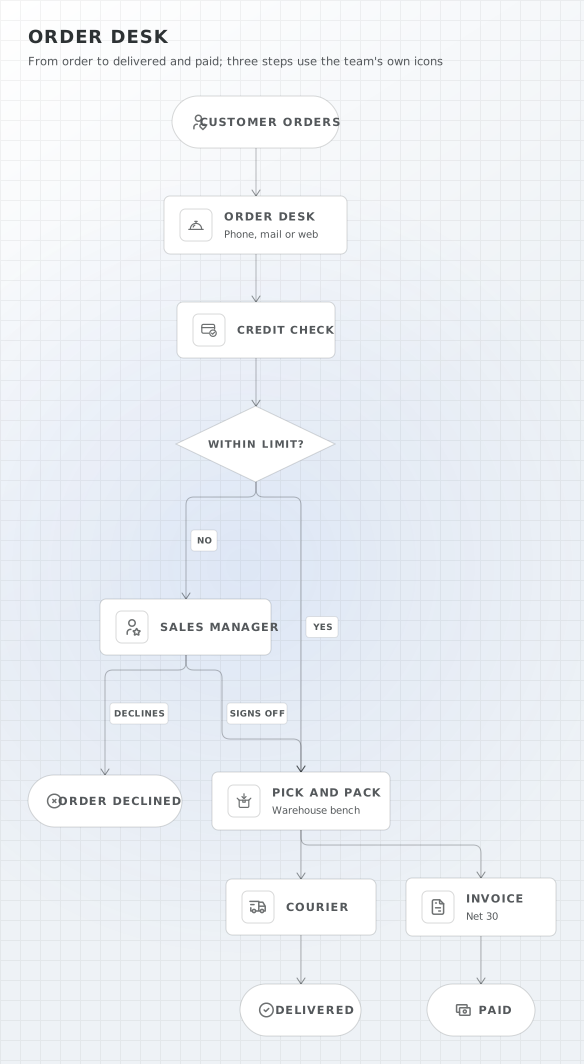
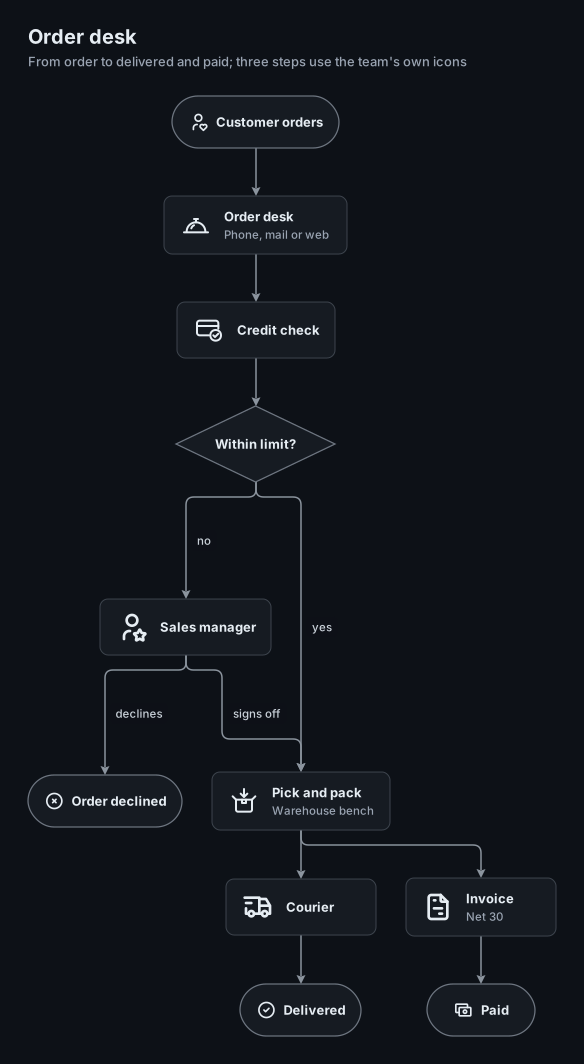
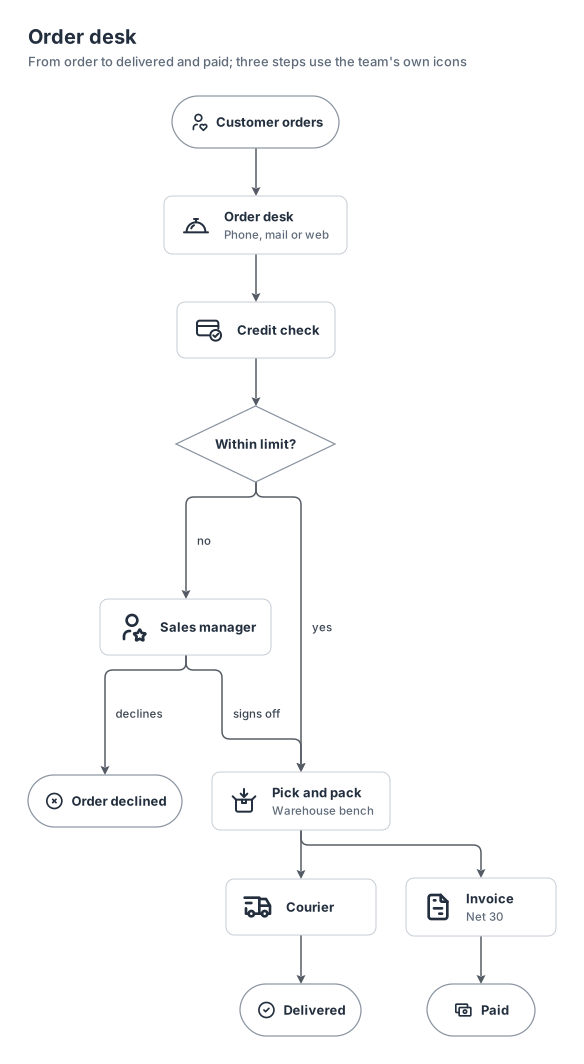
a business flowchart from a customer's order to a delivered parcel and a paid invoice. The order desk, the credit check and the packing bench are the team's own SVG icons (`local:`), drawn to the IC01 to IC10 rules and passed by `orrery icons check`; the other steps use the business `generic:` names.
local11 nodes0 groups8 edges
local-icons-order-desk.yamlOn GitHub
# yaml-language-server: $schema=../references/diagram.schema.json
title: Order desk
subtitle: From order to delivered and paid; three steps use the team's own icons
kind: flowchart
look: card
layout: { spacing: compact }
# The team's own drawings, made to the rules in references/icons.md and passed by `orrery icons check`.
icons:
  order-desk: ./icons/order-desk.svg
  credit-check: ./icons/credit-check.svg
  pick-pack: ./icons/pick-pack.svg

nodes:
  # The entry and the three exits are terminators that carry their icons.
  customer: { shape: terminator, icon: generic:customer, label: Customer orders }
  desk: { icon: local:order-desk, label: Order desk, note: "Phone, mail or web" }
  credit: { icon: local:credit-check, label: Credit check }
  limit: { shape: decision, label: Within limit? }
  manager: { icon: generic:manager, label: Sales manager }
  declined: { shape: terminator, icon: generic:failure, label: Order declined }
  pick: { icon: local:pick-pack, label: Pick and pack, note: Warehouse bench }
  courier: { icon: generic:delivery, label: Courier }
  delivered: { shape: terminator, icon: generic:success, label: Delivered }
  invoice: { icon: generic:invoice, label: Invoice, note: Net 30 }
  paid: { shape: terminator, icon: generic:cash, label: Paid }

edges:
  - customer -> desk
  - desk -> credit -> limit
  - limit -> pick: yes
  - limit -> manager: no
  - manager -> pick: signs off
  - manager -> declined: declines
  # The warehouse and accounts work in parallel once the order is approved.
  - pick -> courier -> delivered
  - pick -> invoice -> paid
Start from this one
Copies the spec to diagram.yaml, then renders every format.
$ orrery init local-icons-order-desk$ orrery render diagram.yaml -f all --theme both