Order approval flowchart
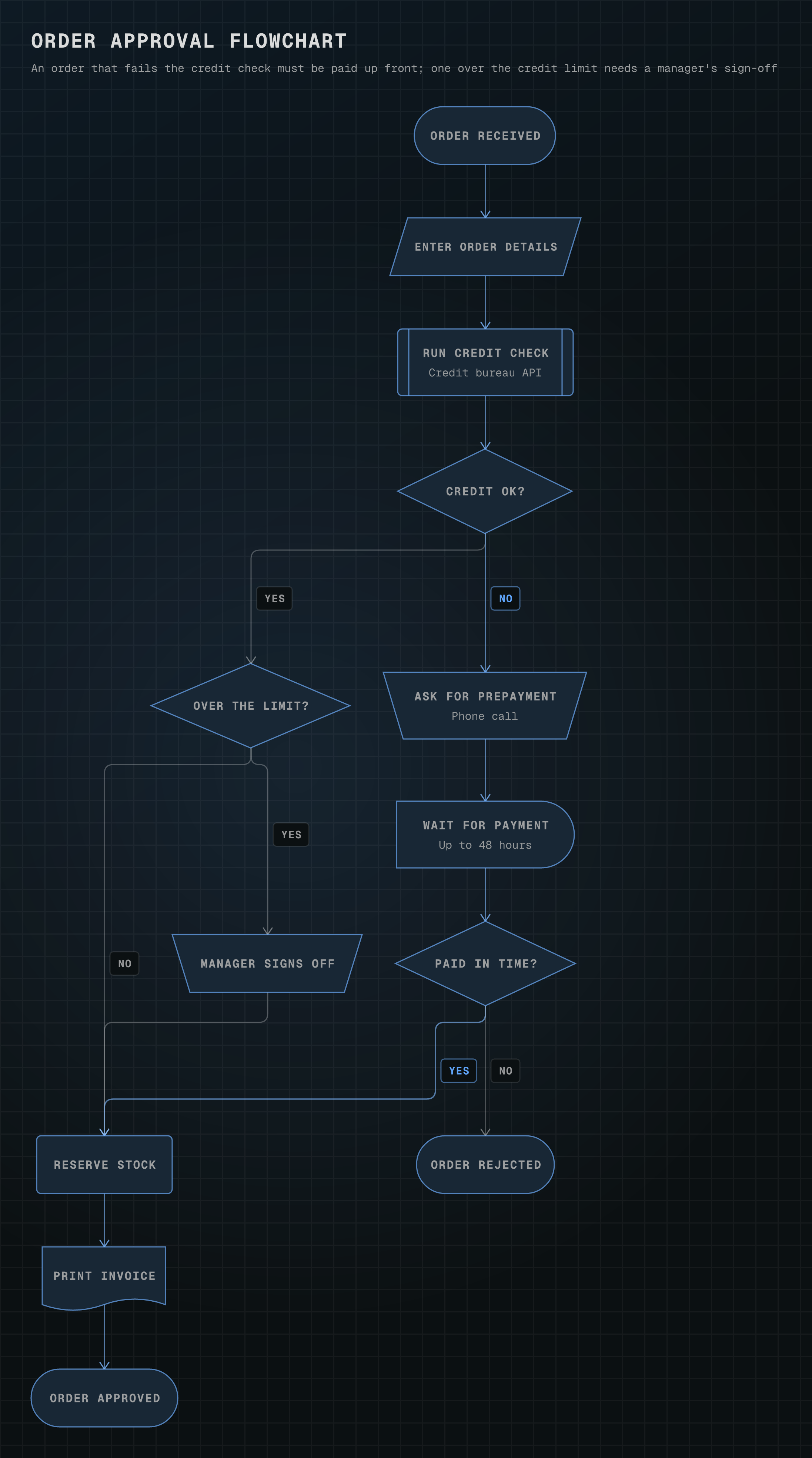
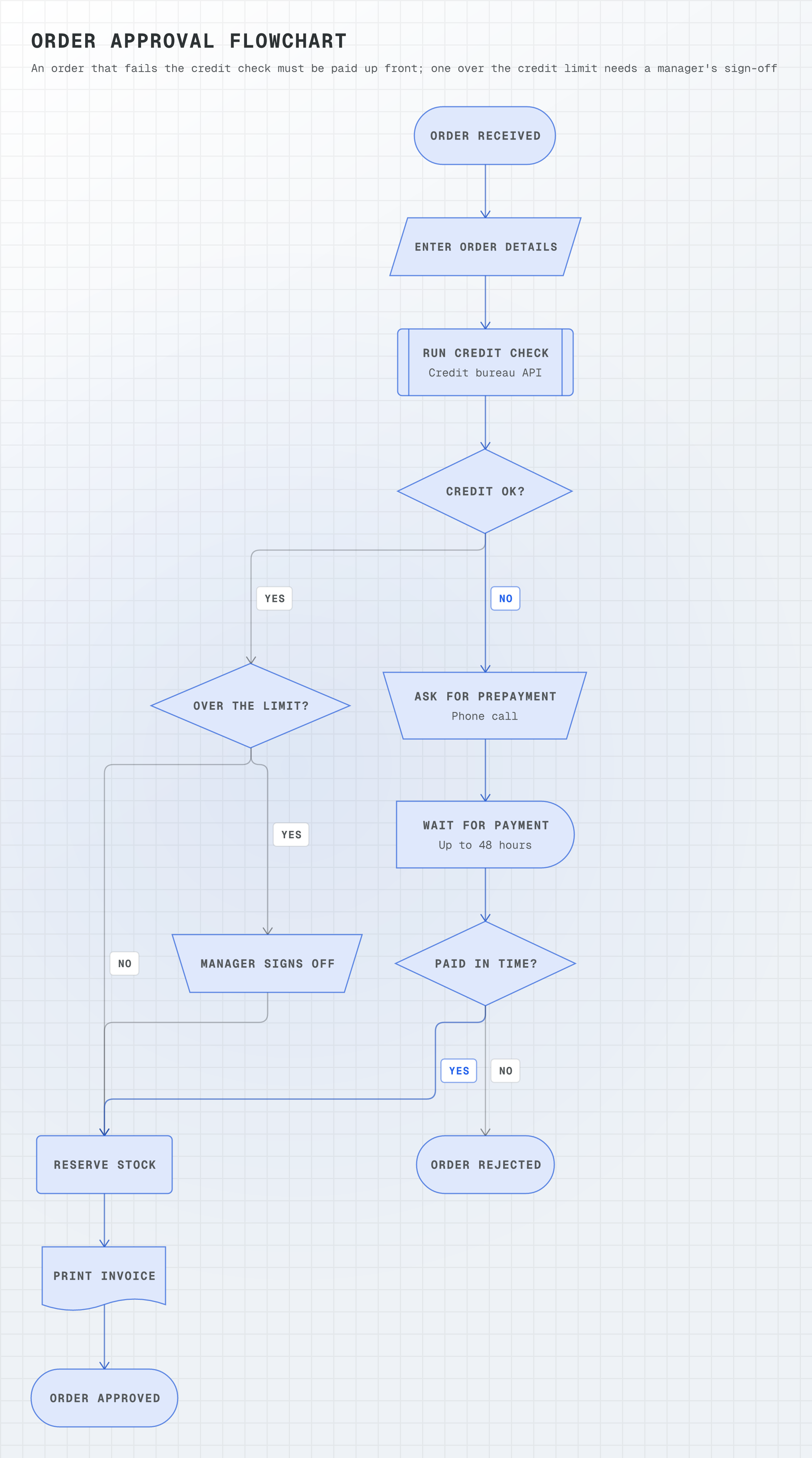
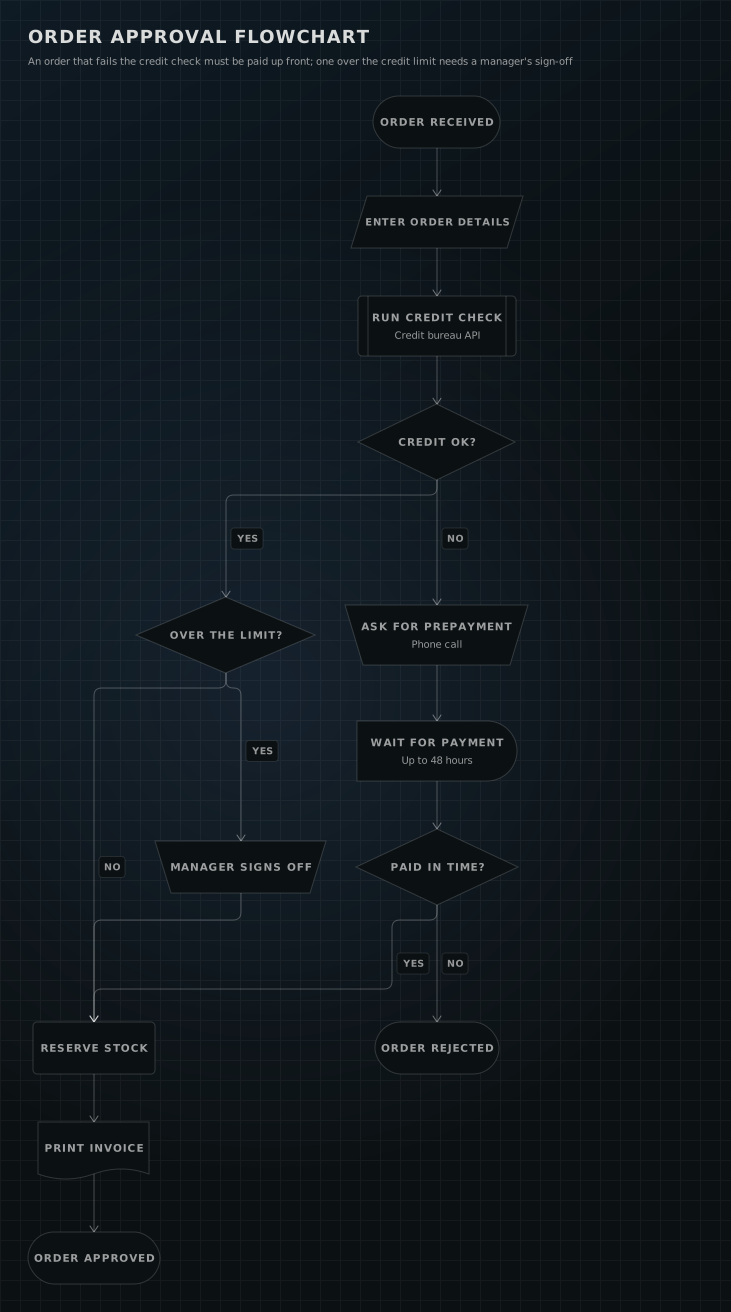
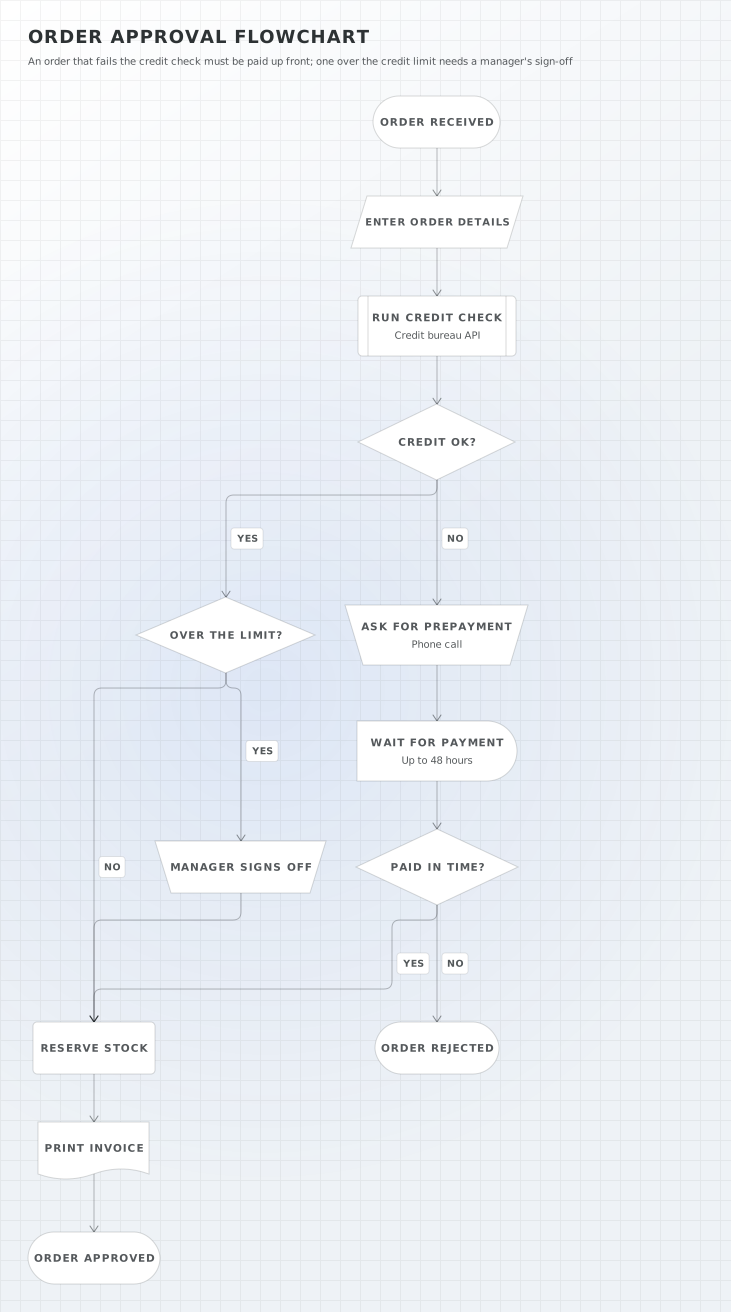
an ISO 5807 flowchart (`kind: flowchart`) of order approval. Order details come in through a data parallelogram and a predefined credit check decides; a failed check asks for prepayment (a manual operation) and waits up to 48 hours (a delay), an order over the limit needs a manager's sign-off, and approved orders end with a printed invoice (a document).
13 nodes0 groups10 edges
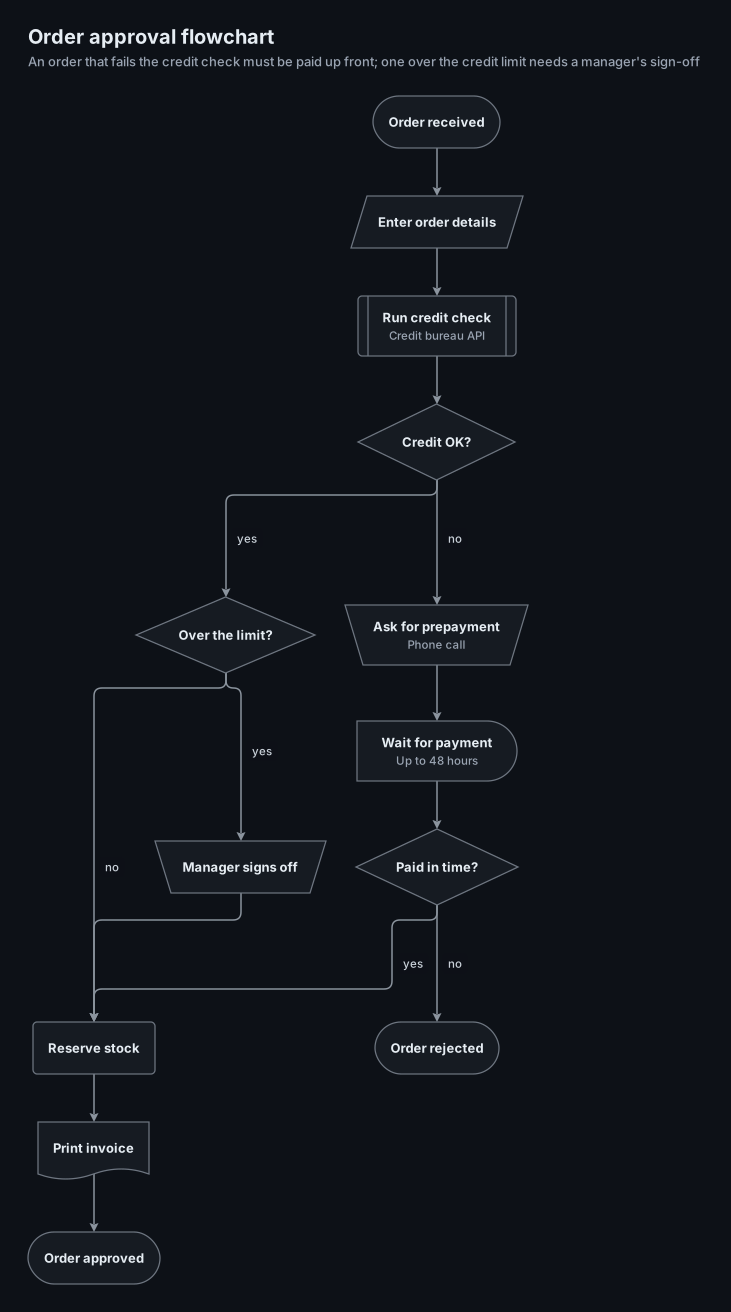
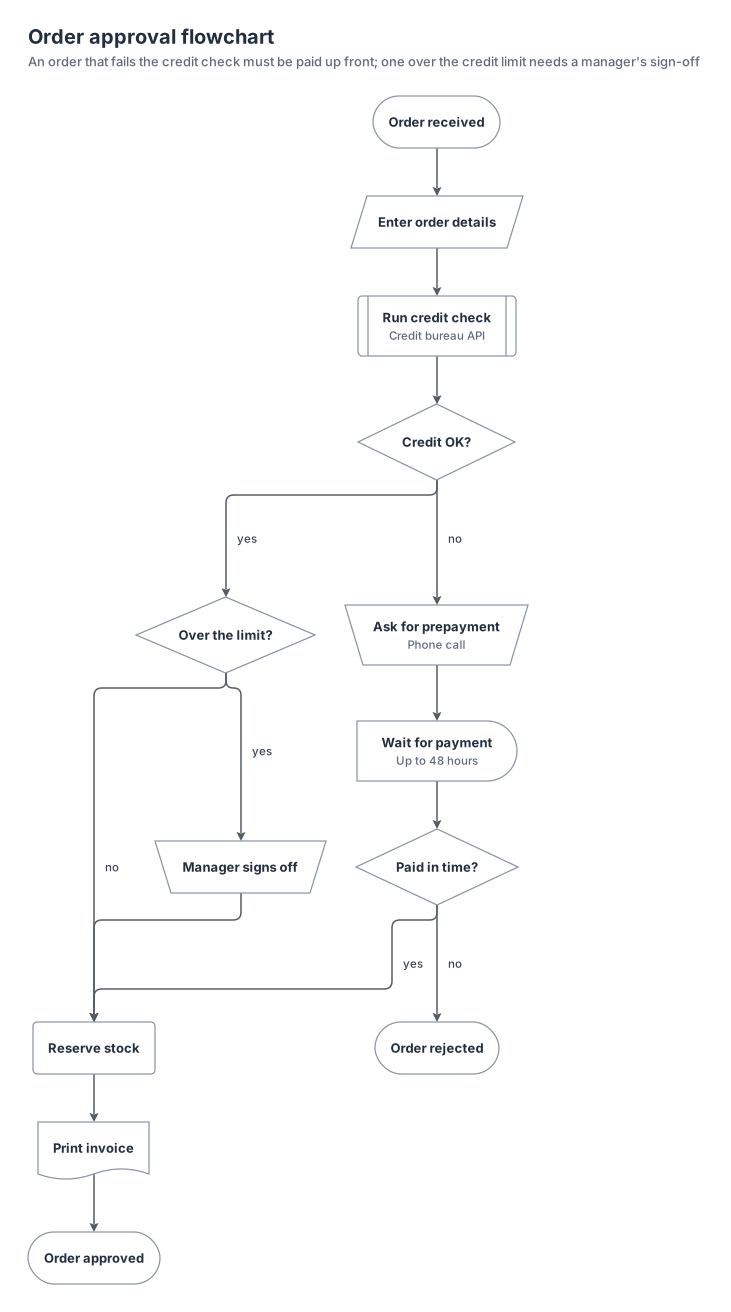
flowchart-order-approval.yamlOn GitHub
# yaml-language-server: $schema=../references/diagram.schema.json
title: Order approval flowchart
subtitle: An order that fails the credit check must be paid up front; one over the credit limit needs a manager's sign-off
kind: flowchart
layout: { spacing: compact }

nodes:
  received: { shape: terminator, label: Order received }
  details: { shape: input, label: Enter order details }
  credit: { shape: predefined, label: Run credit check, note: Credit bureau API }
  credit-ok: { shape: decision, label: Credit OK? }
  limit: { shape: decision, label: Over the limit? }
  sign-off: { shape: manual, label: Manager signs off }
  call: { shape: manual, label: Ask for prepayment, note: Phone call }
  wait: { shape: delay, label: Wait for payment, note: Up to 48 hours }
  paid: { shape: decision, label: Paid in time? }
  rejected: { shape: terminator, label: Order rejected }
  reserve: { shape: process, label: Reserve stock }
  invoice: { shape: document, label: Print invoice }
  approved: { shape: terminator, label: Order approved }

edges:
  - received -> details -> credit -> credit-ok
  - credit-ok -> limit: yes
  - credit-ok -> call: no
  - limit -> sign-off: yes
  - limit -> reserve: no
  - sign-off -> reserve
  - call -> wait -> paid
  - paid -> reserve: yes
  - paid -> rejected: no
  - reserve -> invoice -> approved
Start from this one
Copies the spec to diagram.yaml, then renders every format.
$ orrery init flowchart-order-approval$ orrery render diagram.yaml -f all --theme both