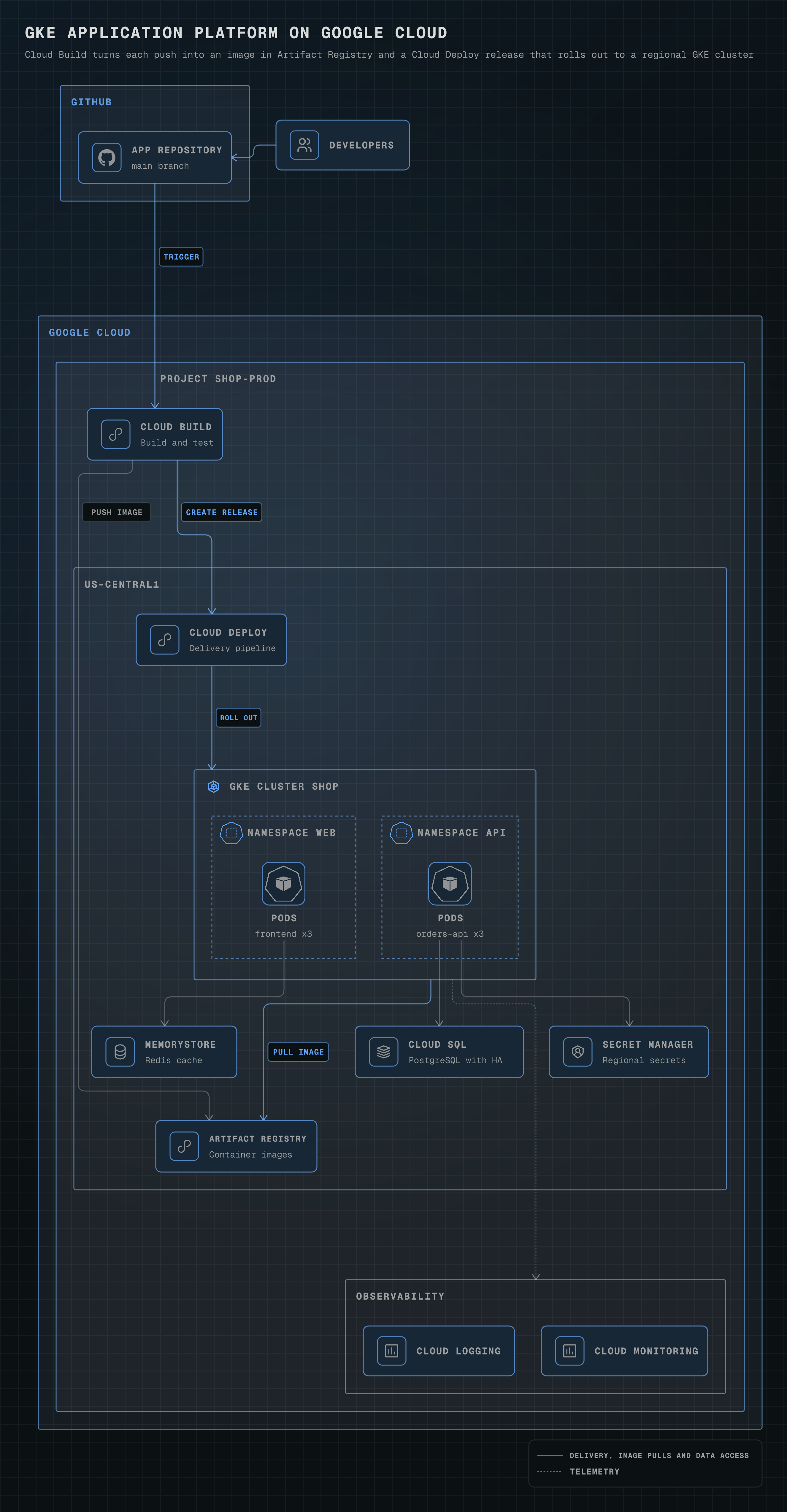
GKE application platform on Google Cloud
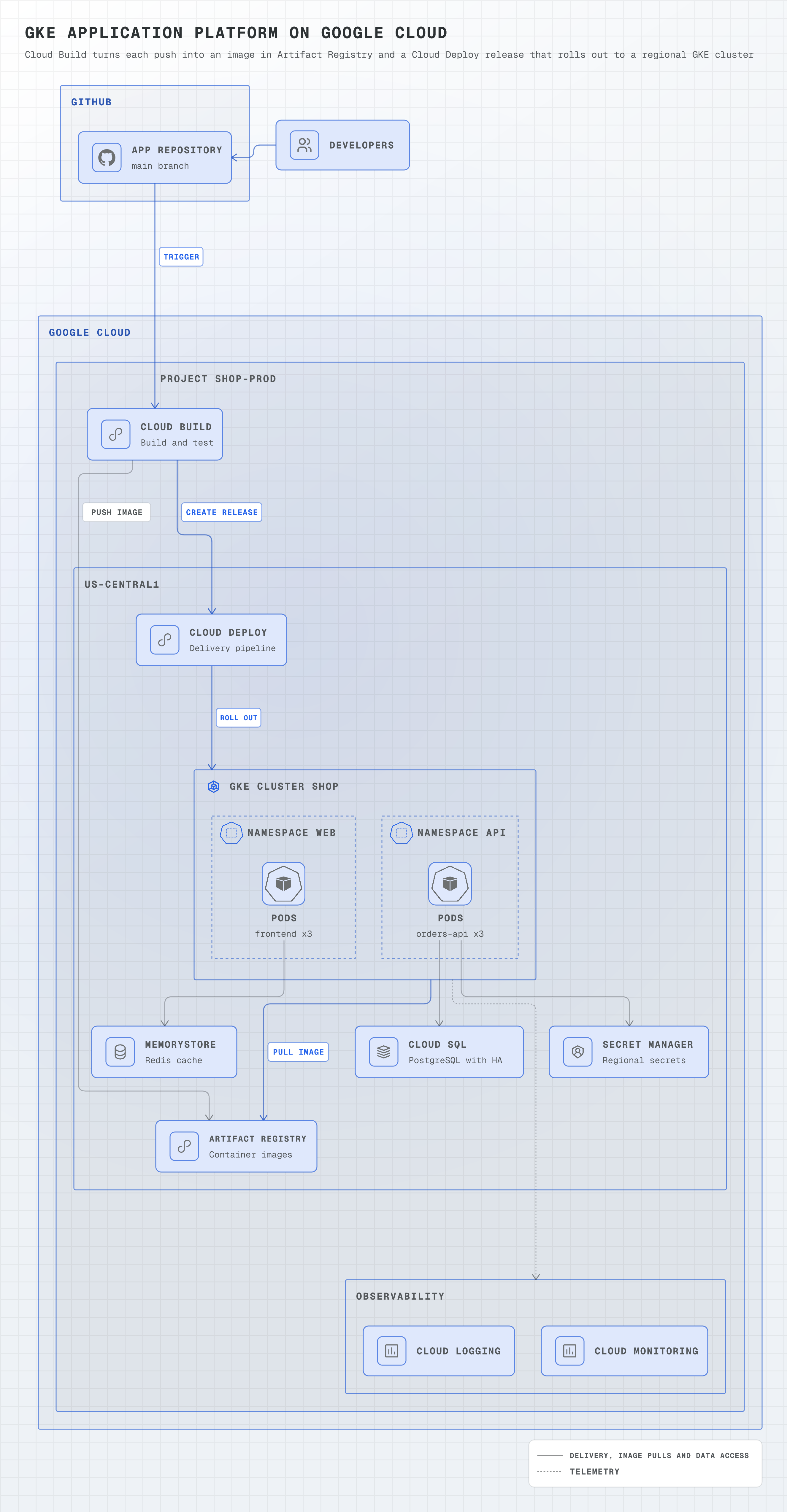
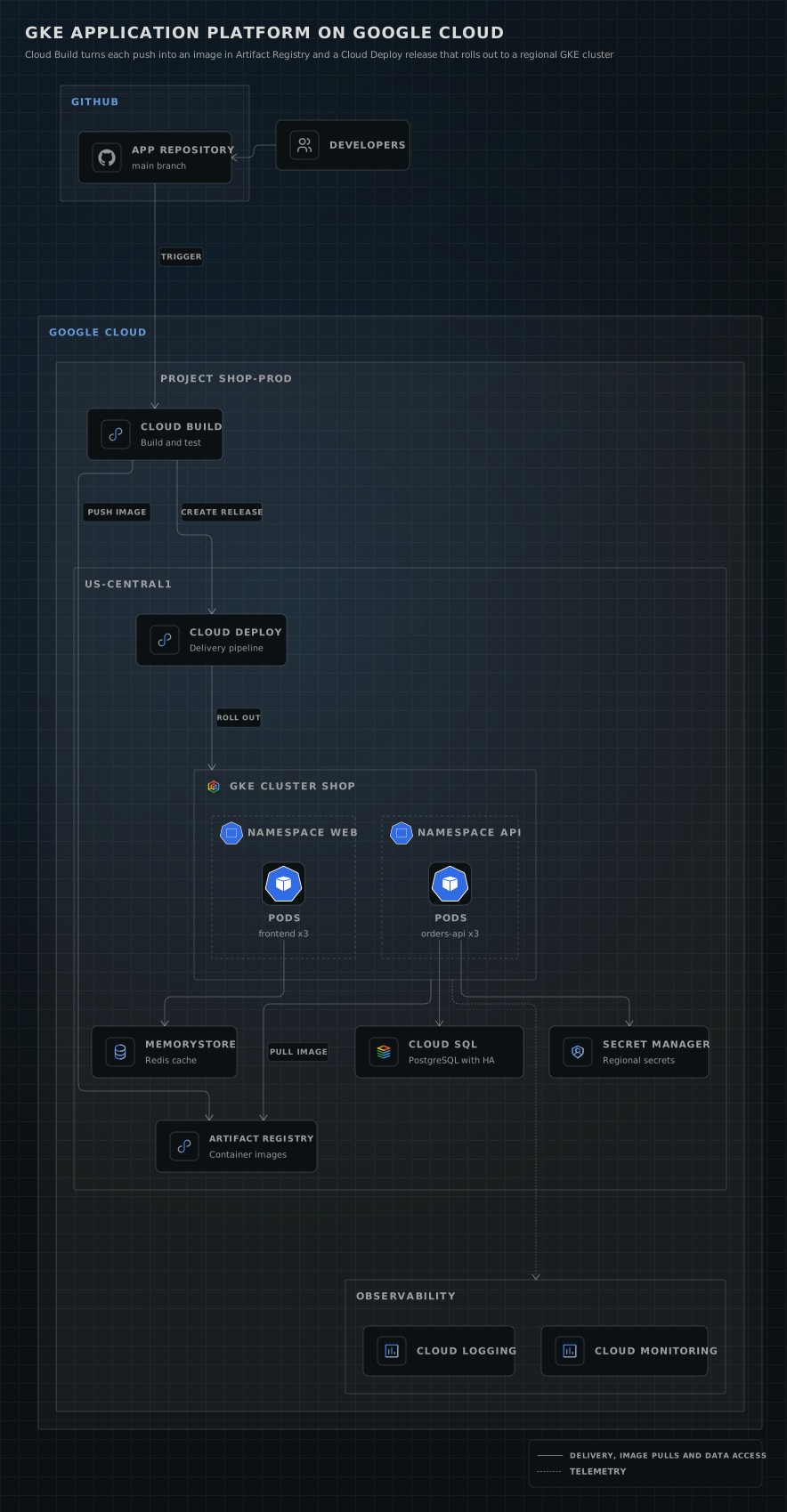
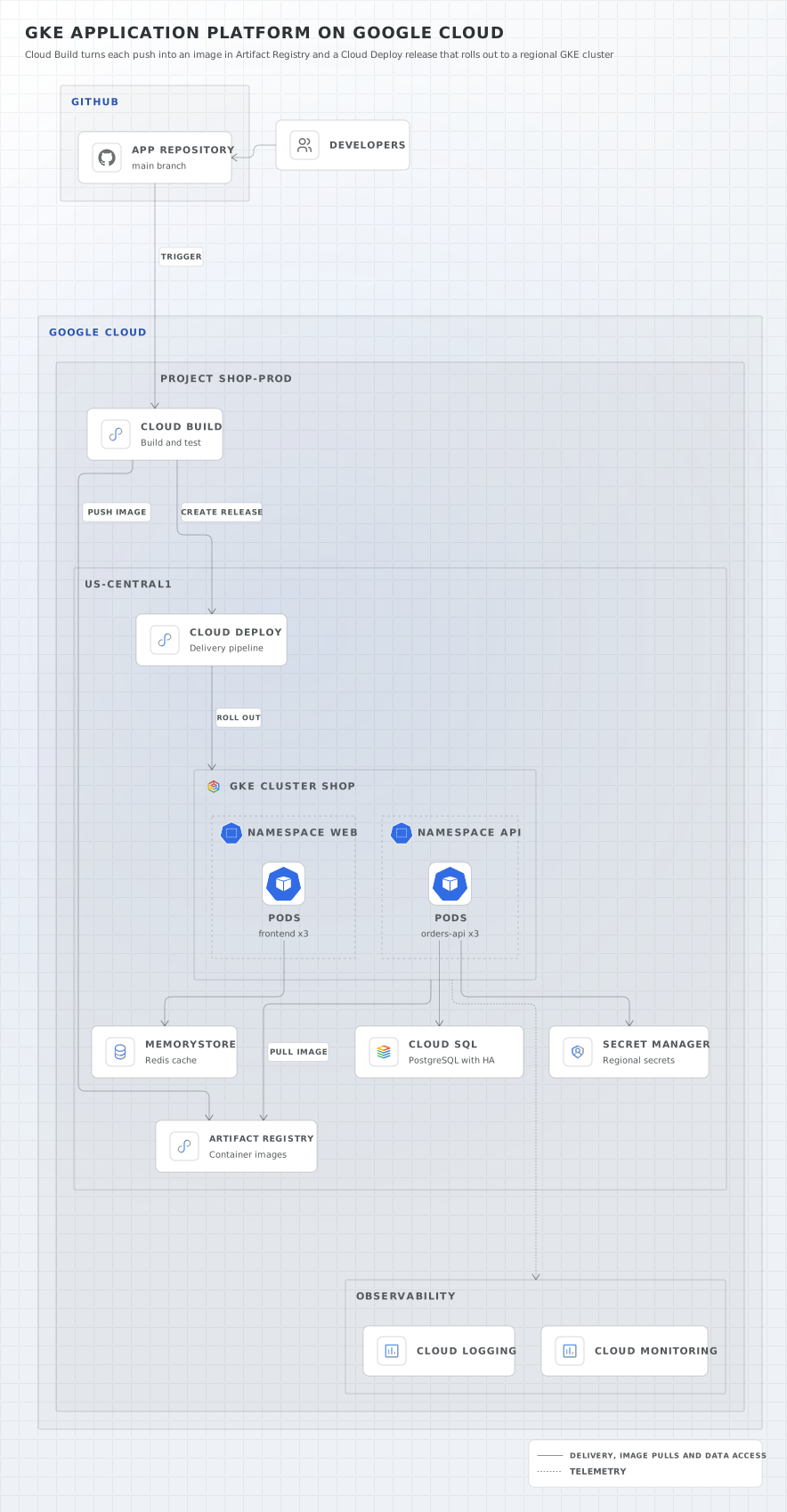
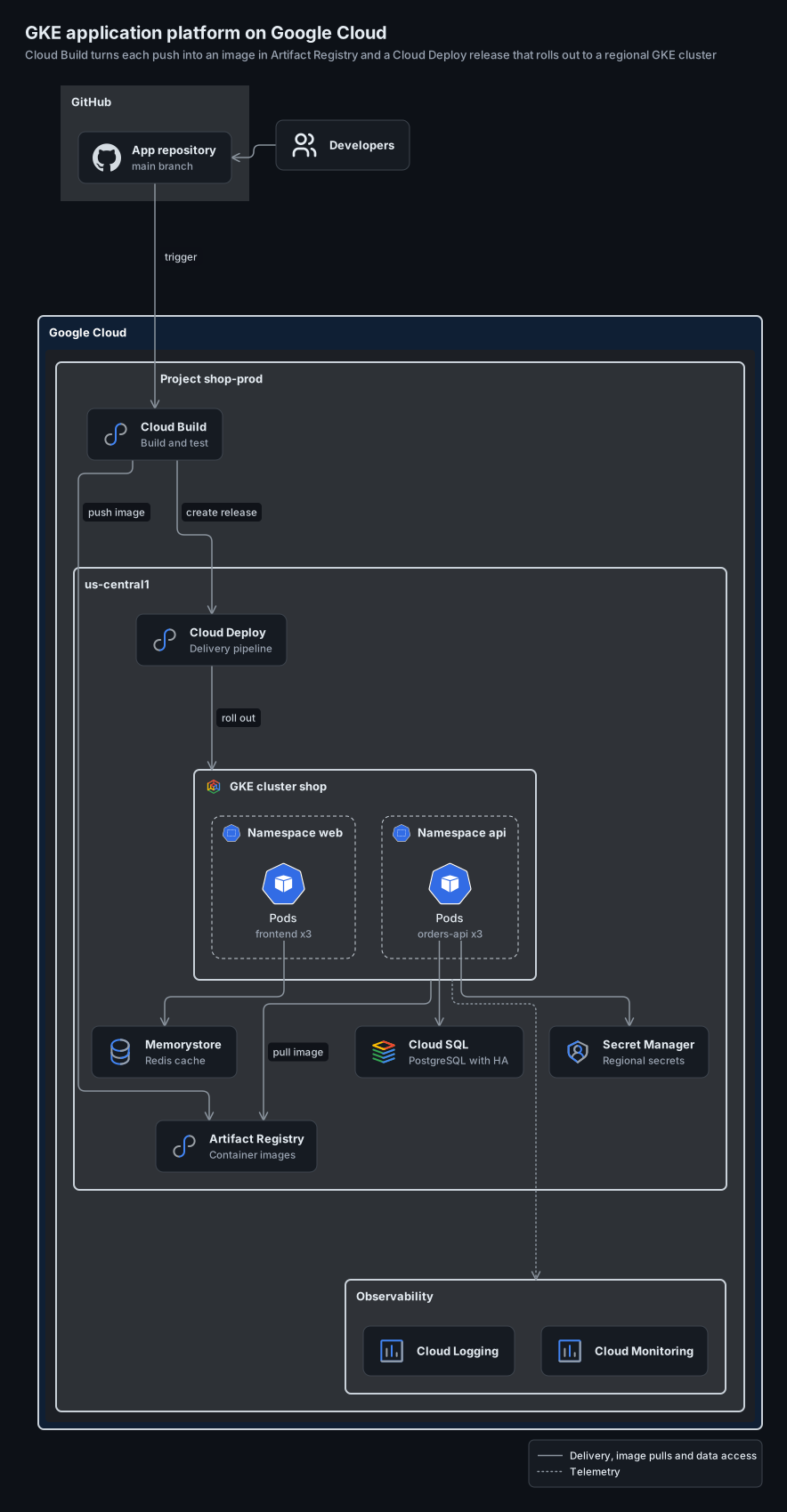
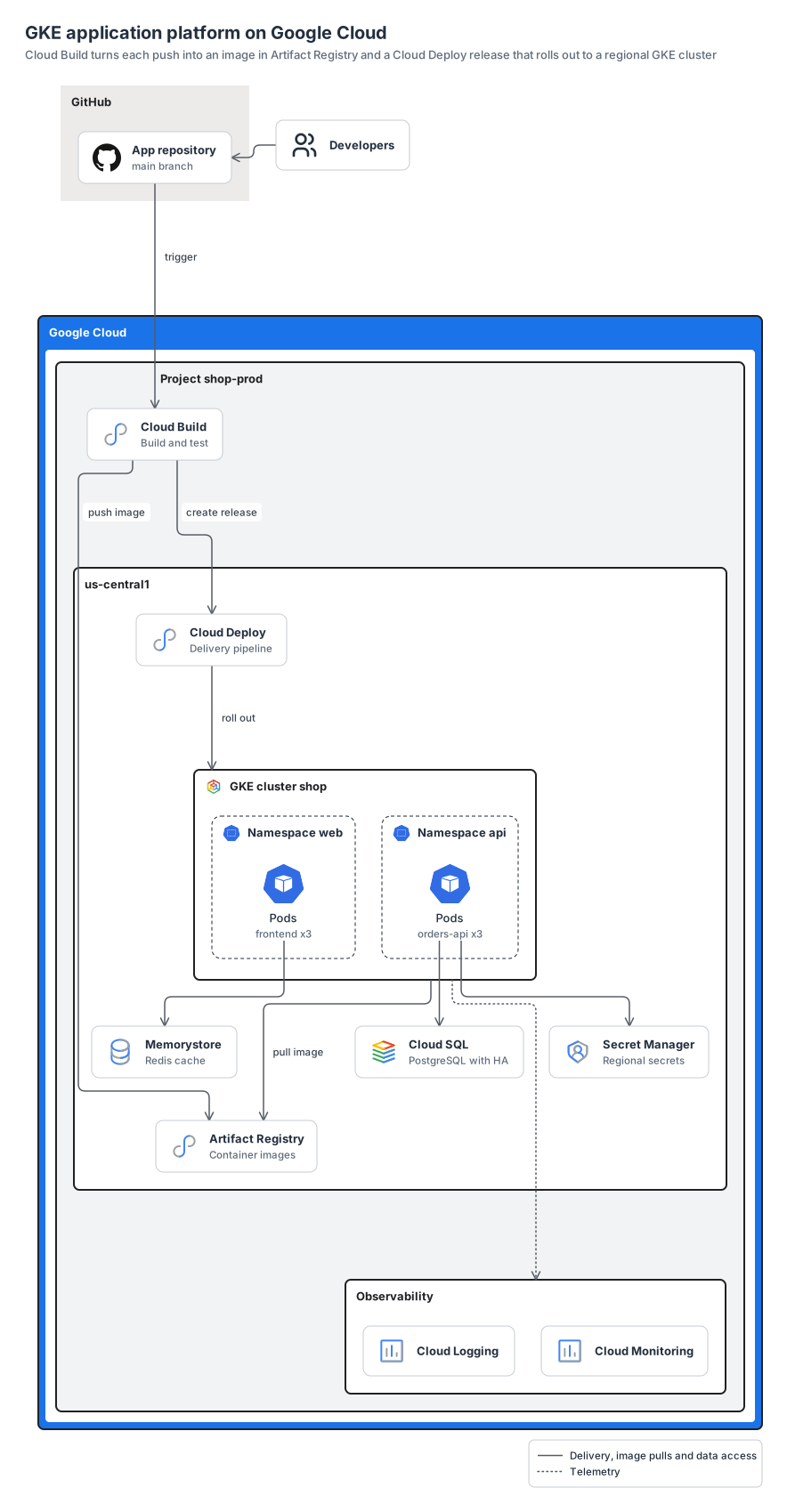
a GKE platform in Google Cloud's frames (cloud, project, region, cluster): Cloud Build pushes each image to Artifact Registry and releases it through Cloud Deploy to two namespaces, next to Memorystore, Secret Manager and Cloud SQL, with Cloud Logging and Cloud Monitoring.
gcpk8slogos12 nodes8 groups10 edges
gcp-gke-platform.yamlOn GitHub
# yaml-language-server: $schema=../references/diagram.schema.json
title: GKE application platform on Google Cloud
subtitle: Cloud Build turns each push into an image in Artifact Registry and a Cloud Deploy release that rolls out to a regional GKE cluster
direction: down
# Product cards, as in Google Cloud's own architecture diagrams; the pods keep the Kubernetes icon look.
look: card
# One port per edge: Cloud Build's two outgoing edges and the edges that end on the cluster border
# each keep their own lane.
layout: { merge: false, spacing: compact }

legend:
  solid: Delivery, image pulls and data access
  dotted: Telemetry

groups:
  source: { type: gcp:external, label: GitHub }
  gcloud: { type: gcp:cloud }
  project: { type: gcp:project, label: Project shop-prod, in: gcloud }
  region: { type: gcp:region, label: us-central1, in: project }
  cluster: { type: gcp:gke-cluster, label: GKE cluster shop, in: region }
  ns-web: { type: k8s:namespace, label: Namespace web, in: cluster }
  ns-api: { type: k8s:namespace, label: Namespace api, in: cluster }
  observability: { type: gcp:tier, label: Observability, in: project }

nodes:
  devs: { icon: generic:users, label: Developers }
  repo: { icon: logos:github-icon, label: App repository, note: main branch, in: source }
  build: { icon: gcp:cloud-build, label: Cloud Build, note: Build and test, in: project }
  registry: { icon: gcp:artifact-registry, label: Artifact Registry, note: Container images, in: region }
  deploy: { icon: gcp:cloud-deploy, label: Cloud Deploy, note: Delivery pipeline, in: region }
  web: { icon: k8s:pod, look: icon, label: Pods, note: frontend x3, in: ns-web }
  api: { icon: k8s:pod, look: icon, label: Pods, note: orders-api x3, in: ns-api }
  redis: { icon: gcp:memorystore, label: Memorystore, note: Redis cache, in: region }
  sql: { icon: gcp:cloud-sql, label: Cloud SQL, note: PostgreSQL with HA, in: region }
  secrets: { icon: gcp:secret-manager, label: Secret Manager, note: Regional secrets, in: region }
  logging: { icon: gcp:cloud-logging, label: Cloud Logging, in: observability }
  monitoring: { icon: gcp:cloud-monitoring, label: Cloud Monitoring, in: observability }

edges:
  # Drawn after layout, so Developers stack above the repository instead of taking a column.
  - devs -> repo: { constraint: false }
  - repo -> build: trigger
  - build -> registry: push image
  - build -> deploy: create release
  - deploy -> cluster: roll out
  - cluster -> registry: pull image
  - web -> redis
  - api -> sql
  - api -> secrets
  - cluster ..> observability
Start from this one
Copies the spec to diagram.yaml, then renders every format.
$ orrery init gcp-gke-platform$ orrery render diagram.yaml -f all --theme both